Back to News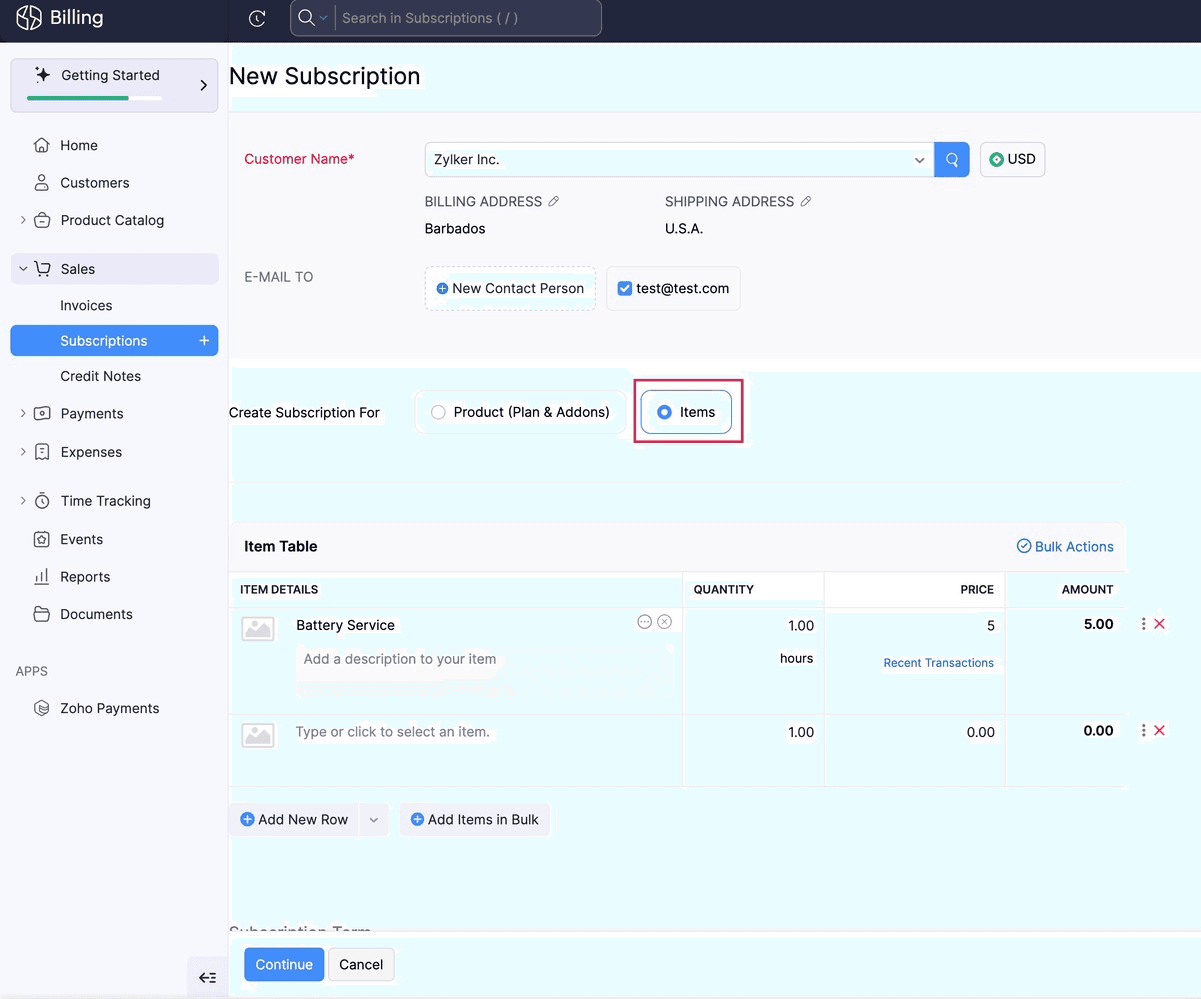
Saturday, March 21, 2026
Zoho Billing - What's New in February 2026
Zoho Billing's February 2026 update introduces subscription management for items, flexible days-based billing frequency, renewal payment links, and multi-currency coupon discounts. You can now save payment methods on hosted pages, download invoices from thank you pages, and add quick reply buttons to WhatsApp quote messages.
Get weekly Zoho updates
February brings updates to Zoho Billing including smarter subscription management, flexible billing frequencies, enhanced payment options, improved reporting, and greater control over hosted pages.
- Create Subscriptions for Items feature allows you to create subscriptions for items in Zoho Billing, with pause, resume, cancel, and reactivate options
- Zoho Billing applies unused credits automatically when generating invoices from subscriptions for items
- Available only on certain Zoho Billing plans
- Create Subscriptions with Days as Billing Frequency in early access allows you to create subscriptions that renew based on a specific number of days (e.g., every 18 or 90 days, or daily)
- Days-based billing frequency provides flexibility to match your customers' billing preferences precisely
- Generate Renewal Payment Links for Manual Renewals feature allows you to generate advance renewal payment links for manual or offline subscriptions
- Renewal payment links can be shared with customers to collect renewal payments proactively instead of waiting for the next billing cycle
- Renewal payment links expire one day before the Next Billing Date by default, but you can adjust this if needed
- Available only on certain Zoho Billing plans
- Disable Advance Invoice Failure Alerts allows you to disable notifications when Advance Invoices fail to generate due to subscription configuration conflicts
- This preference applies only to Advance Invoices
- Save Payment Method on Hosted Payment Pages feature allows your customers to save their payment method directly from Hosted Payment Pages so future invoices are collected automatically
- Payment method saving behavior varies by gateway
- Configure the Save Payment Method checkbox in your Hosted Payment Page template
- Download Invoices from Thank You Pages allows customers to download their invoice directly from the Thank You Page after a successful subscription purchase
- Optionally customize the button label to match your brand
- Configure Multi-Currency Discount Values in Coupons allows you to configure currency-specific discount values for flat-rate coupons
- When a coupon is applied to a subscription, Zoho Billing automatically uses the discount amount that matches the customer's billing currency
- Available only for organizations with Advanced Coupons enabled
- Add Quick Reply Buttons to WhatsApp Messages for Quotes allows you to include quick reply buttons that let customers accept or reject quotes in a single tap
- Quick reply buttons appear on WhatsApp message templates automatically once enabled in Quote settings
- Mark Projects as Completed feature allows you to mark projects as Completed in Zoho Billing to easily differentiate them from active ones
- View Activity History for Reports feature provides a full activity history for your reports
- Zoho Billing automatically captures actions like Print, Export, Share, Create/Edit (for custom reports), and Schedule
- Activity history provides a clear audit trail of all report activities
- Toggle Net and Gross Revenue Retention Metrics in the Revenue Retention Rate report allows you to see both Net and Gross retention metrics in a single view
- Net retention shows revenue from existing customers
- Gross retention excludes expansion revenue
- Toggling between metrics lets you see whether growth comes from expansion or retention
 Zoho Billing