Back to News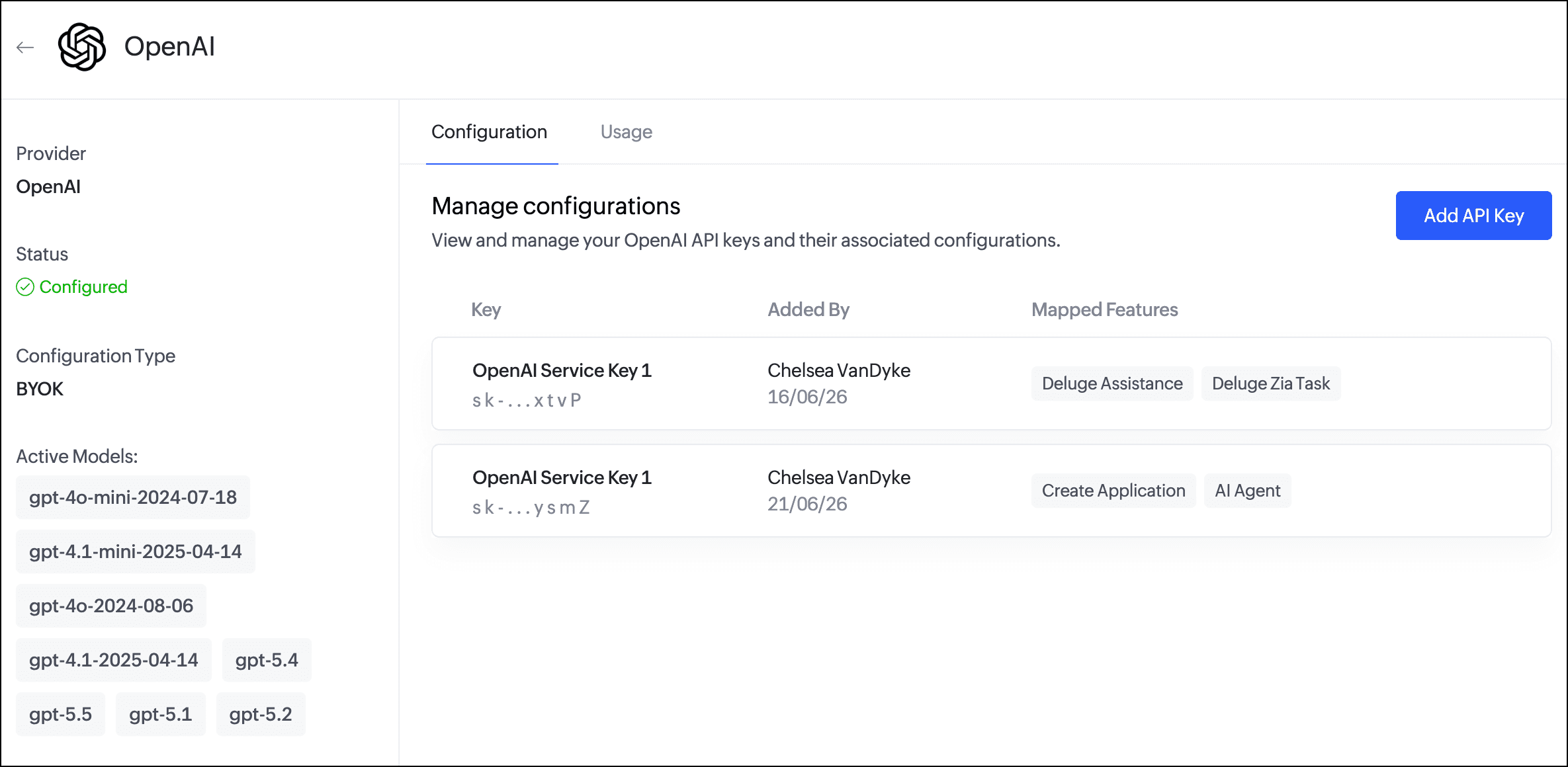
Saturday, July 4, 2026
Zoho Creator - Per-Feature AI Provider Configuration for Zia
Zoho Creator now lets administrators map each Zia AI feature to a specific LLM provider and API key. You can add up to five keys per provider and manage everything from a refreshed Zia page under Operations.
Get weekly Zoho updates
Zoho Creator has enhanced the Zia configuration experience, giving administrators more control over which AI providers power individual Zia features.
- You can now add up to five API keys per LLM provider using BYOK (Bring Your Own Key), making it easier to organise keys by team, project, or purpose.
- Each Zia feature can be mapped to a specific provider and API key combination, so different features can run on different providers; for example, one provider for application generation and another for Deluge assistance.
- The Zia page under Operations has been refreshed, displaying the available providers (Zoho, OpenAI, Google, and Anthropic) as cards.
- Clicking a provider card opens a configuration page where you can add API keys, map features, and track usage.
- Zoho remains the default LLM provider, requires no configuration, and is free to use; features without an external key mapped use Zoho GenAI by default.
- If you disable a feature, its provider mapping is not retained and must be remapped when the feature is re-enabled.
- API keys for external providers must be generated in the respective provider accounts, and any API usage charges are managed directly with that provider.
Availability: Creator 6 (C6) users on paid plans. Configurable by super admins and admins.
 Zoho Creator