Back to News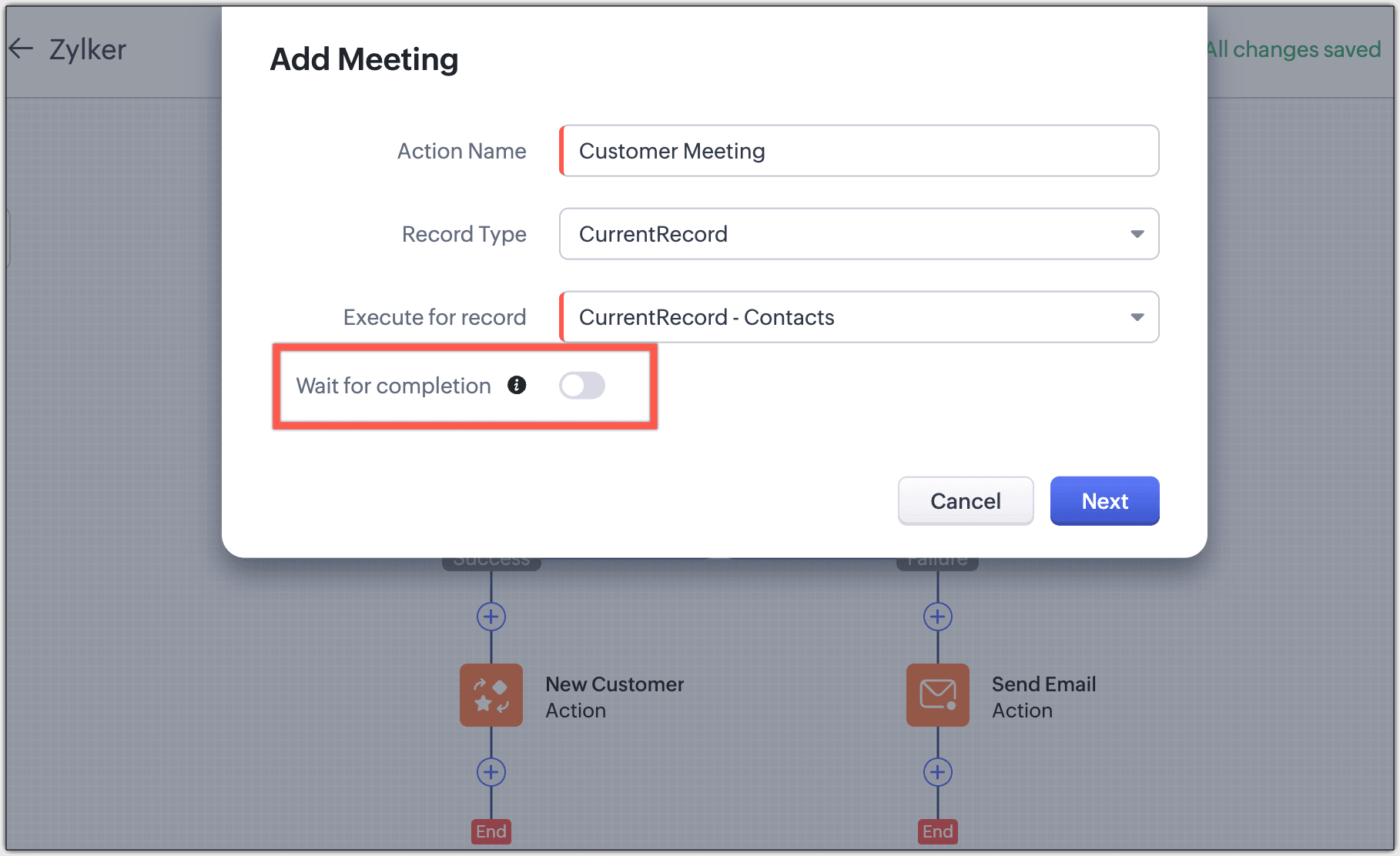
Saturday, February 14, 2026
Zoho CRM - Kiosk Studio Sequential Actions for Control and Data Flow
Zoho CRM Kiosk Studio now supports sequential actions that wait for completion before advancing to the next screen, allowing data to flow seamlessly between steps. You can handle action failures with dedicated paths, display messages during execution, and combine up to three sequential webhooks or functions between screens.
Get weekly Zoho updates
Sequential actions enable you to use action responses in subsequent screens or components in your kiosk, allowing data to flow between actions without interruptions or gaps.
- Sequential actions allow your kiosk to wait for one action to complete before moving to the next step
- Action responses from completed steps become available in later screens or components for use in subsequent actions
- Wait for completion option tells your kiosk to wait until an action is completed to ensure its response can be used in the next screen
- KioskRecords combines GetRecords, CurrentRecords, and CreatedRecords into a single grouped view for easier access to all record-related options
- CreatedRecords displays the list of new records created through Kiosk actions
- Kiosk Fields merges screen fields and action fields under one unified section for simpler configuration
- By default, most actions have Wait for completion automatically enabled, except for Activities (tasks, calls, meetings), Create record, Webhooks, and Functions, which require manual enablement
- If Wait for completion is not enabled, kiosks execute in parallel without waiting for actions to complete, and their responses cannot be used in subsequent screens
- Optional failure path can be added to handle cases where sequential actions fail during execution
- Failure path is visually different from the success path, allowing you to define different next steps for each case
- Message on load feature allows you to display customized messages to users while actions like webhooks and functions are being executed
- CreatedRecords can be used in decision components to add conditions based on newly created records
- CreatedRecords can be configured in action components, such as updating a field in a created record
- Up to three sequential actions from webhooks and functions can be added between two screens in a kiosk
- Execution wait time for webhooks and Deluge functions is 10 seconds; actions taking longer are considered failed and moved to the failure path
- Maximum of 25 fields can be created for webhooks and Deluge functions
- Socket timeout, thread timeout, or connect timeout errors during webhook or Deluge function execution result in failed status and failure path execution
- Only JSONObject responses from webhooks and functions are supported; JSONArray is not supported
- String returnType is only supported in functions; JSONObject responses must be parsed and sent as a string from the action
- Use cases include creating new records in one screen and immediately scheduling meetings or creating tasks for those records in subsequent screens
 Zoho CRM