Back to News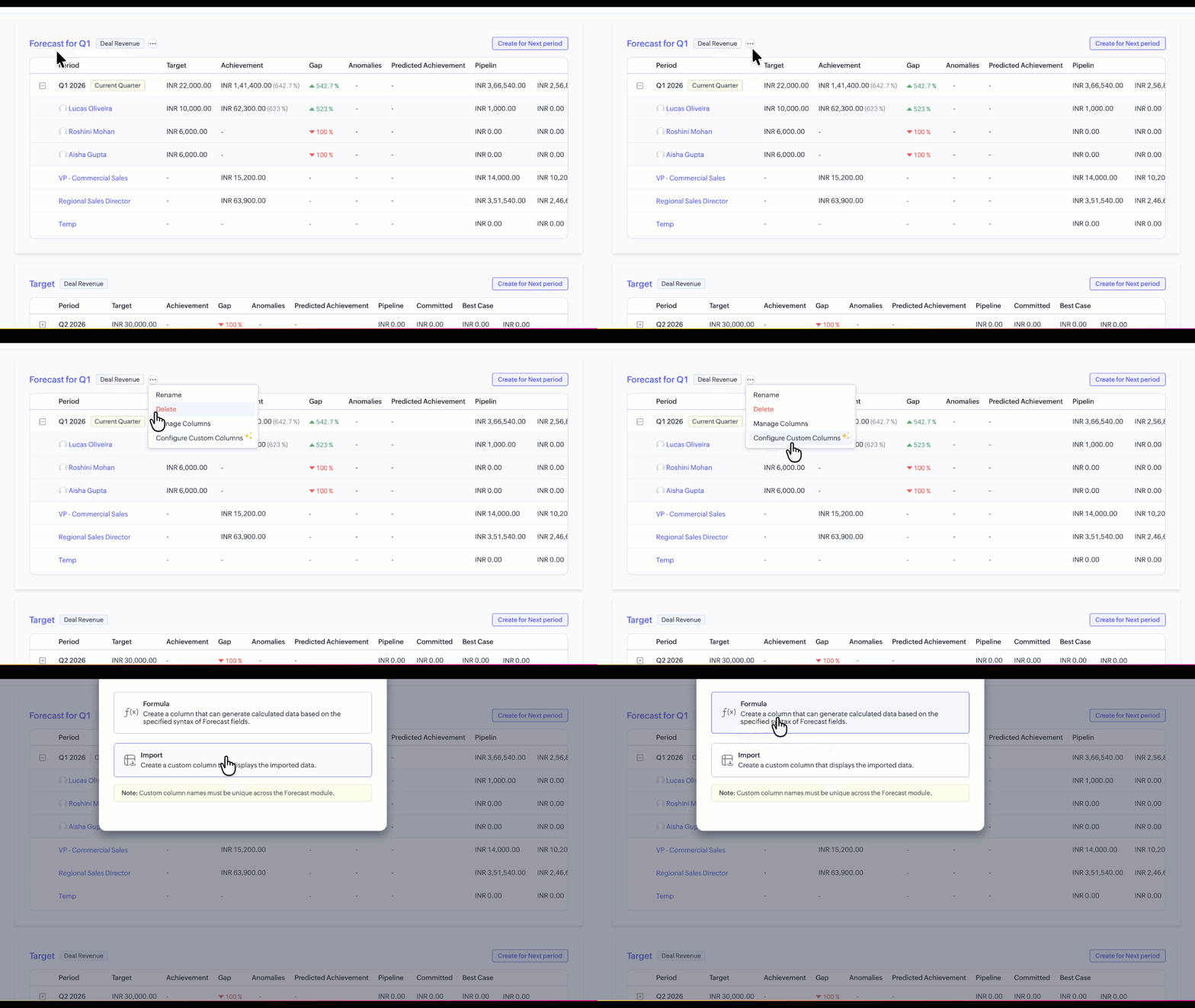
Wednesday, May 13, 2026
Zoho CRM - Custom Columns in Forecasts
Zoho CRM is rolling out Custom Columns in Forecasts in a phased manner, letting forecast managers add their own metrics alongside the standard forecast figures. You can configure formula-based or imported columns to track measures like pipeline coverage or stretch goals.
Get weekly Zoho updates
Zoho CRM is rolling out Custom Columns in Forecasts in a phased manner, letting forecast managers track business-specific metrics alongside standard forecast values.
- Create up to two custom columns per forecast group, supporting Formula Columns and Import Columns. Only one can be a Formula Column; one or both can be Import Columns.
- Use Formula Columns to derive metrics automatically, for example a Pipeline Coverage Ratio calculated as Pipeline Amount divided by Target.
- Use Import Columns for values defined outside CRM, such as stretch goals or aspirational targets, by exporting a sample file, populating the values, and re-importing them.
- Configure Formula Columns via More Options on the Forecast group, then Configure Custom Column, then Formula Column, defining the formula syntax.
- Configure Import Columns from the same Custom Column setup, then use Import Custom Column Data under More Options for a specific Forecast period.
- All custom columns appear in both the Forecast List View and Breadcrumb View, alongside standard forecast metrics.
- Column management has moved from the module level to the individual forecast level, so columns can be configured, ordered, and tailored per forecast without affecting other areas of CRM.
- Download any forecast as a CSV file directly from the forecast view.
Availability: Enterprise edition and above. Currently enabled for the JP data centre, with other data centres to follow.
 Zoho CRM