Back to News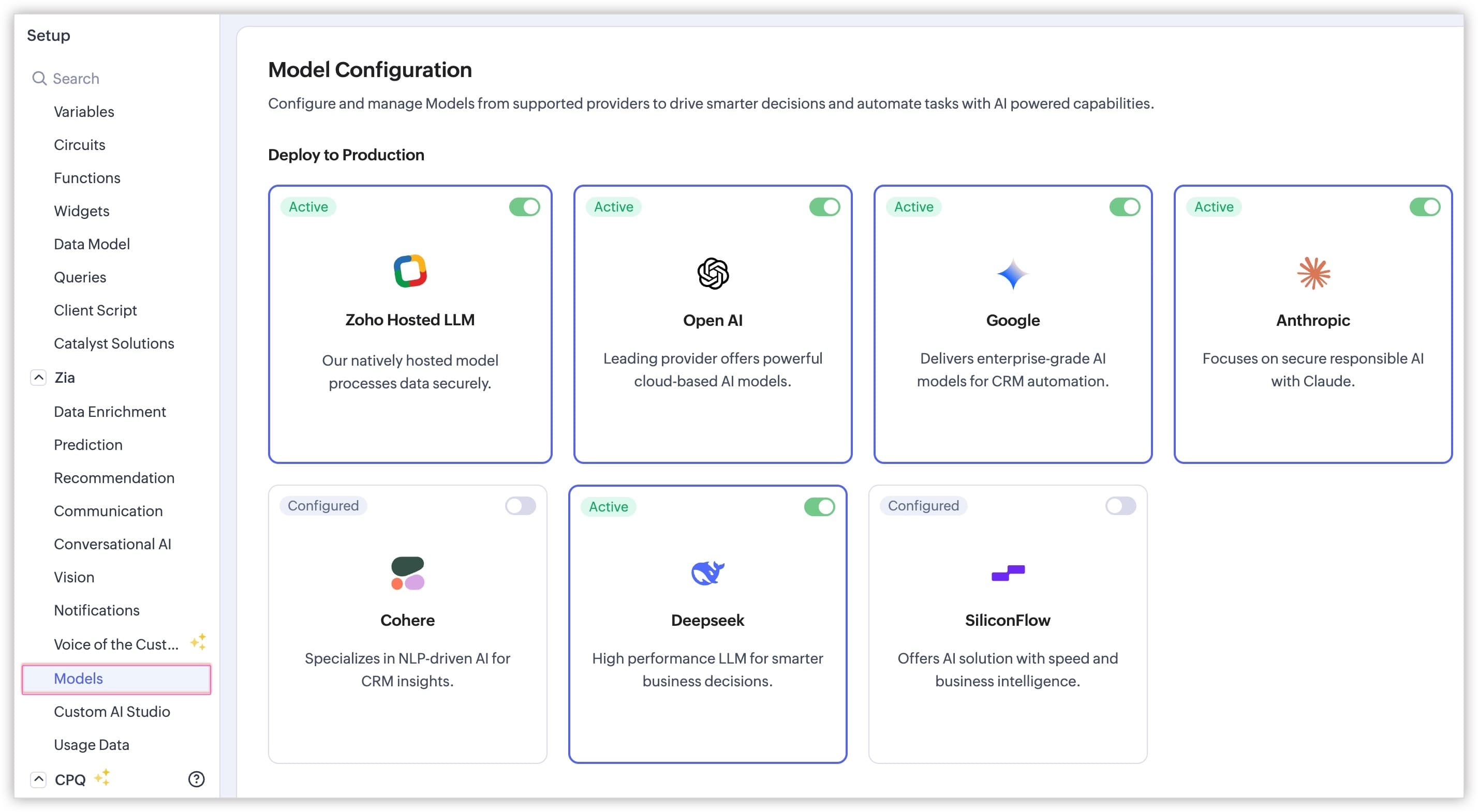
Wednesday, May 20, 2026
Zoho CRM - Switch Between Multiple LLMs in Zia Record Assistant
Zoho CRM admins can now enable several large language models for Zia at once, and end users can switch between them inside the Record Assistant bot. The Execute Prompt custom button also works across all configured LLMs.
Get weekly Zoho updates
Zoho CRM has expanded its Multi-LLM support for Zia so admins can keep several models active at once and users can swap between them on the fly inside the Record Assistant bot.
- Admins can configure and maintain multiple LLMs simultaneously, instead of being limited to one active model at a time.
- Inside the Record Assistant bot, users can switch between every enabled LLM using a dropdown to compare responses or pick a preferred model.
- The Record Assistant bot always opens with Zia selected as the default LLM at the start of a session.
- Users can turn Zia off explicitly; once they do, the chosen alternate LLM becomes the default for future sessions.
- The Execute Prompt custom button is no longer restricted to Zoho-hosted LLMs and now works with every LLM you have configured.
- The Smart Prompt area under Zia has been renamed to Models for clarity.
- You can also pick a preferred LLM for the Smart Prompt bot.
- To turn models on, go to Setup > Zia > Models, configure the API keys for the models you want, then toggle them on from the Model Configuration page and confirm with Yes, Deploy.
Availability: Professional, Enterprise, Ultimate, CRM Plus and Zoho One editions, available across all data centres.
 Zoho CRM