Back to News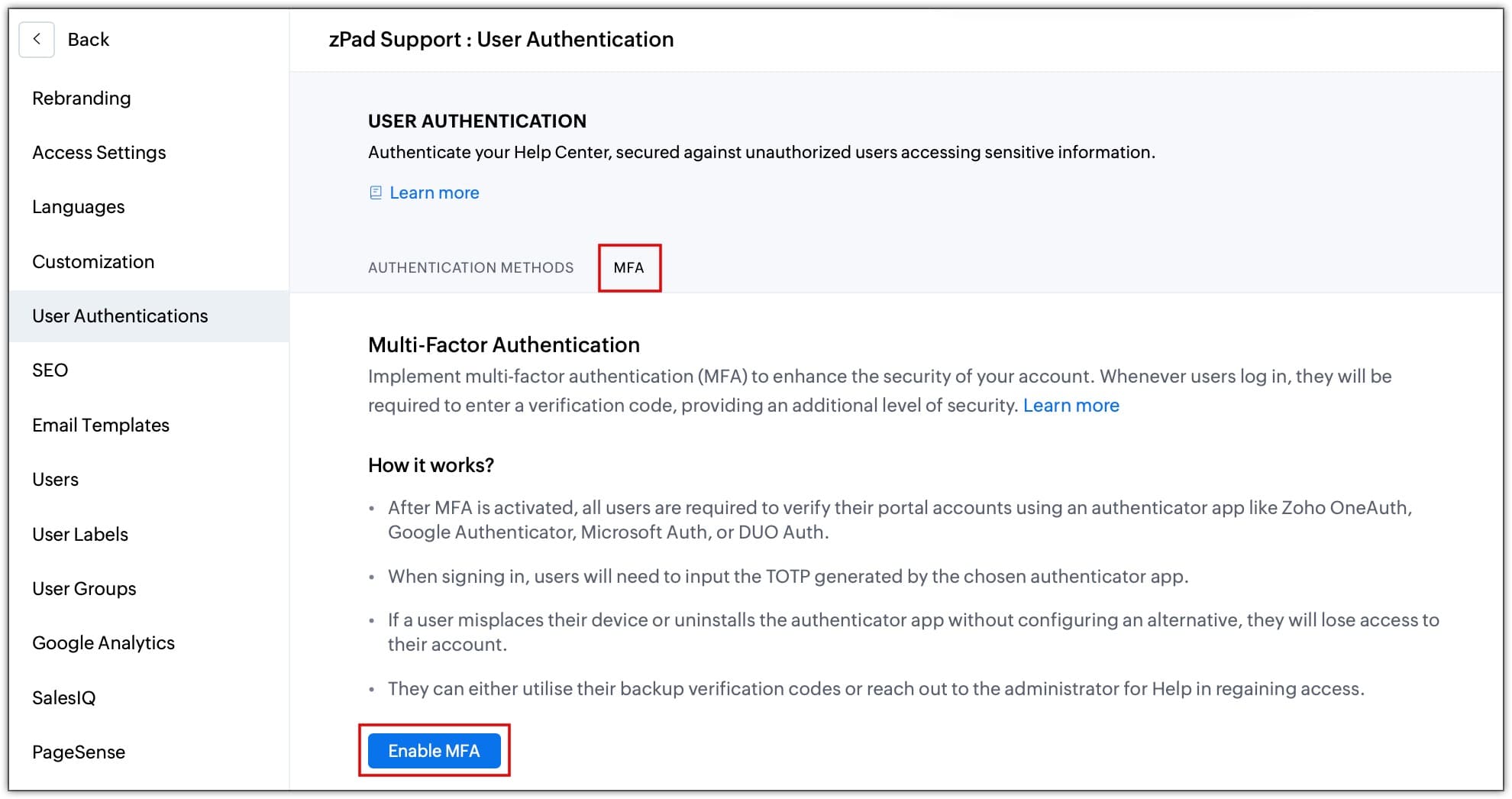
Tuesday, May 5, 2026
Zoho Desk - Multi-Factor Authentication for Help Centre Profiles
Zoho Desk now supports Multi-Factor Authentication (MFA) for help centre user accounts. Businesses can enable TOTP-based verification to add a second layer of security at sign-in.
Get weekly Zoho updates
Zoho Desk now allows businesses to enable Multi-Factor Authentication (MFA) for help centre accounts, adding an extra layer of security beyond passwords.
- When MFA is enabled, users must enter both their password and a time-based one-time password (TOTP) during sign-in.
- Even if a password is compromised, the account cannot be accessed without the TOTP verification.
- MFA can be enabled via Setup, then Channels, then Help Center, then User Authentication, then Enable MFA.
- Compatible authenticator apps include Zoho OneAuth, Google Authenticator, Microsoft Authenticator, and Duo Auth.
 Zoho Desk