Back to News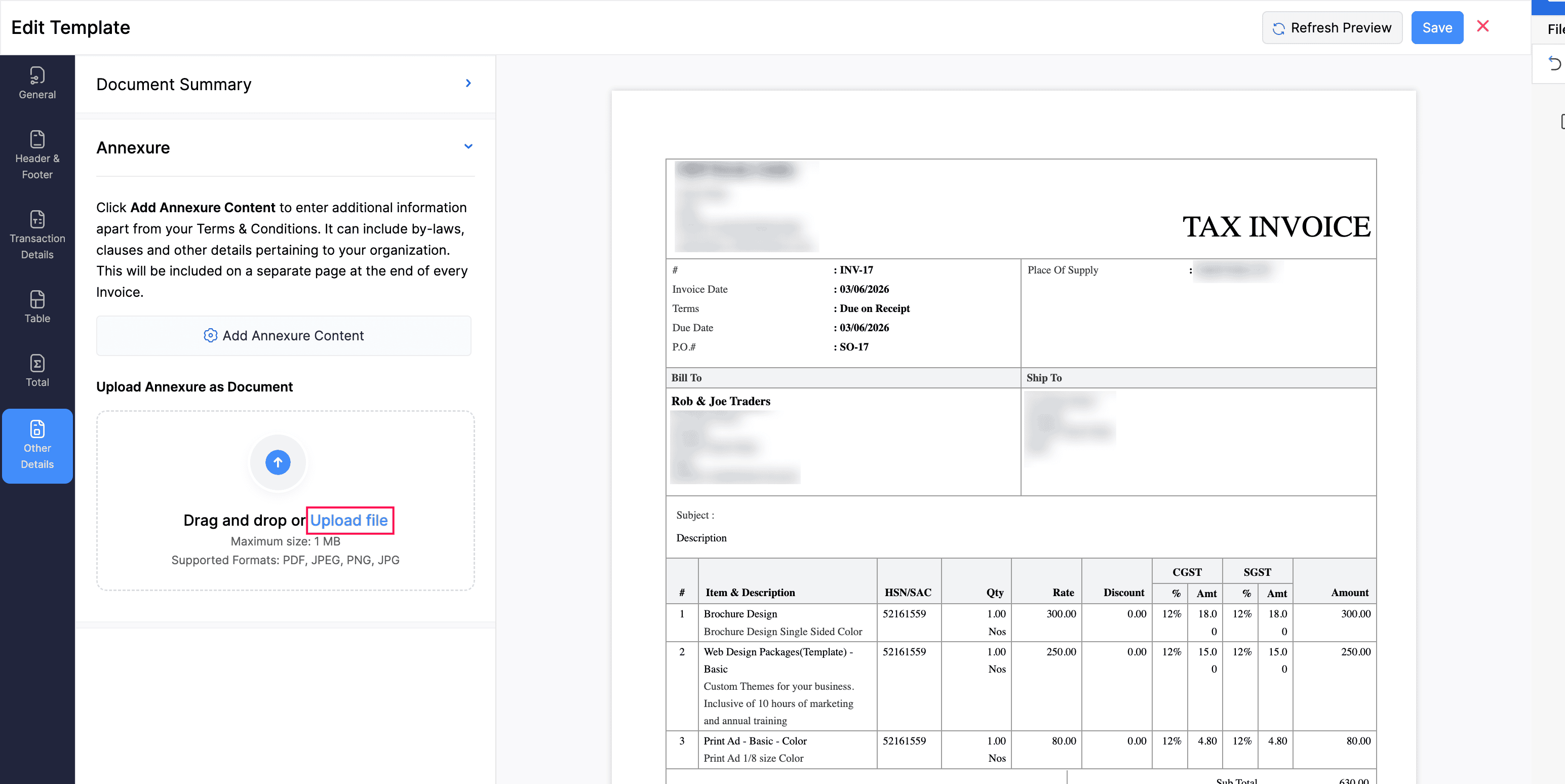
Wednesday, June 10, 2026
Zoho ERP - June 2026 Updates
Zoho ERP's June 2026 release adds new configuration, pricing, and inventory capabilities alongside mobile and reporting improvements. Highlights include layout rules for custom modules, location-based price lists, auto batch assignment, and the Beat field sales app for iOS.
Get weekly Zoho updates
Zoho ERP's June 2026 release adds new configuration, pricing, and inventory capabilities along with mobile and reporting enhancements.
- Beat - Zoho ERP for iOS is now on the App Store, letting field sales reps manage beats, visit customers, collect sales orders and payments, and navigate to customer locations.
- Annexure attachments in PDF templates: attach supporting documents that are appended as additional pages at the end of a generated PDF.
- Location-based price lists: associate sales price lists with business locations, with customer-level pricing taking precedence over location-level pricing.
- Layout rules for custom modules: define conditions to show, hide, make mandatory, or auto-fill fields based on the values entered.
- Auto batch assignment: automatically assign inventory batches using FIFO, FEFO, or LIFO allocation strategies during outward transactions.
- Geo-fencing validation in Beat Management: restrict customer check-ins to when the salesperson is within range of the location, with anti-spoofing measures on Android.
- Retail Windows app RFID bulk add: add RFID-tagged items to the cart in bulk via a reader over Bluetooth or USB, with trigger and continuous scan modes.
- Retail Windows app numeric keypad shortcut: bill frequently sold items by typing their Alias key number followed by Enter.
- Bulk update for items now supports reporting tags.
- Compare locations within a single hierarchy in Reports.
- Admins now have full access to custom reports, including edit, clone, and delete for any report in the organization.
- Date range filters can now be applied to custom reports.
- The Alias Name column is now available on the Items list view page.