Back to News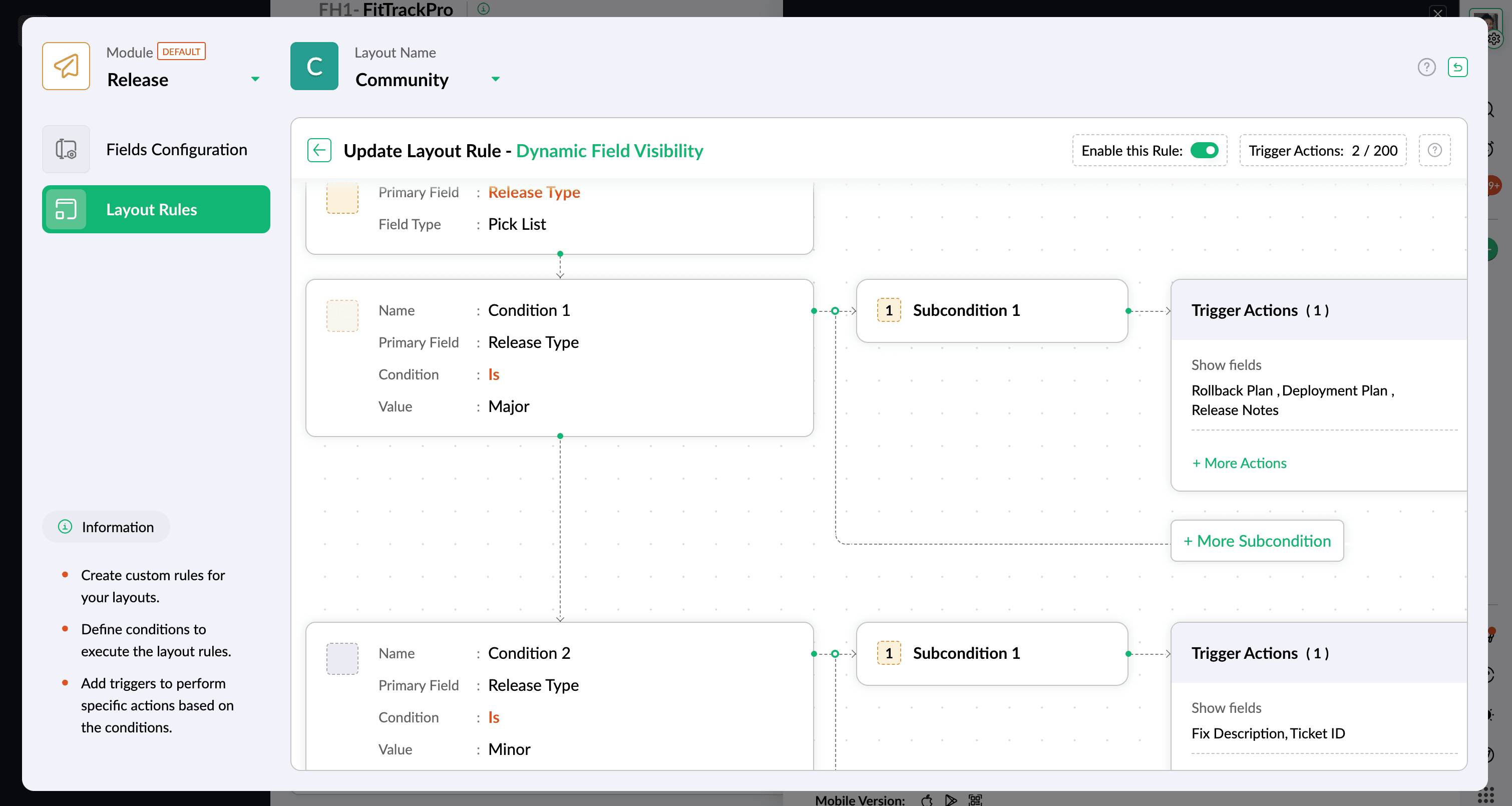
Tuesday, May 5, 2026
Zoho Sprints - Layout Rules Now Available for the Release Layout
Zoho Sprints has extended layout rules support to the Release layout. You can now control field visibility, set conditional mandatory fields, and enforce status transitions based on defined conditions.
Get weekly Zoho updates
Zoho Sprints now supports layout rules on the Release layout, giving you control over how information is displayed, which fields are required, and how status transitions are handled.
- You can use show/hide criteria to control field visibility based on other field values. For example, selecting "Major Release" as the release type can display fields like Release Notes, Deployment Plan, and Rollback Plan, while selecting "Hotfix" shows Ticket ID and Fix Description instead.
- Conditional mandatory fields can be configured so that specific fields become required when a condition is met. For instance, when the Environment field is set to Production, fields like Approval from Release Manager and Deployment Window can be made mandatory.
- Status transition rules let you enforce that users can only move to specific statuses from the current status (for example, from Planning to Ongoing), preventing deviations in the release process.
- Layout rules help reduce incorrect entries, missing data, and user confusion by ensuring release records follow a defined workflow.
 Zoho Sprints