Back to News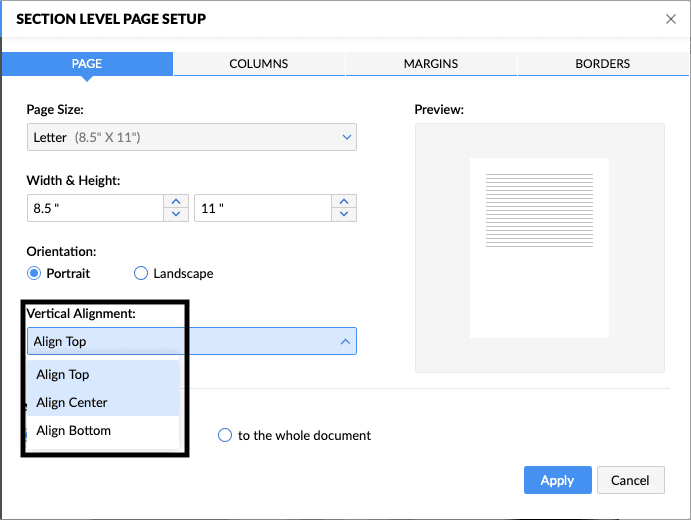
Saturday, June 27, 2026
Zoho Writer - Vertical Alignment for Page Sections
Zoho Writer now offers a vertical alignment option that positions content at the top, center, or bottom of a page section in one click. It helps with cover page titles, letterhead logos, and signature blocks without manual spacing.
Get weekly Zoho updates
Zoho Writer now lets you align content vertically within a page section in a single step.
- Position content at the top, center, or bottom of a page section without adding manual spacing.
- Center a title on a cover page, or place a table at the middle of a proposal.
- Align a logo and company name at the top of a letterhead.
- Position a signature block at the bottom of a page.
- Apply alignment through Page Setup, then Advanced Page Setup, then Section Level Setup, and choose an option from the Vertical Alignment dropdown.
 Zoho Writer