Building Email Sequences That Actually Convert in Zoho Marketing Automation
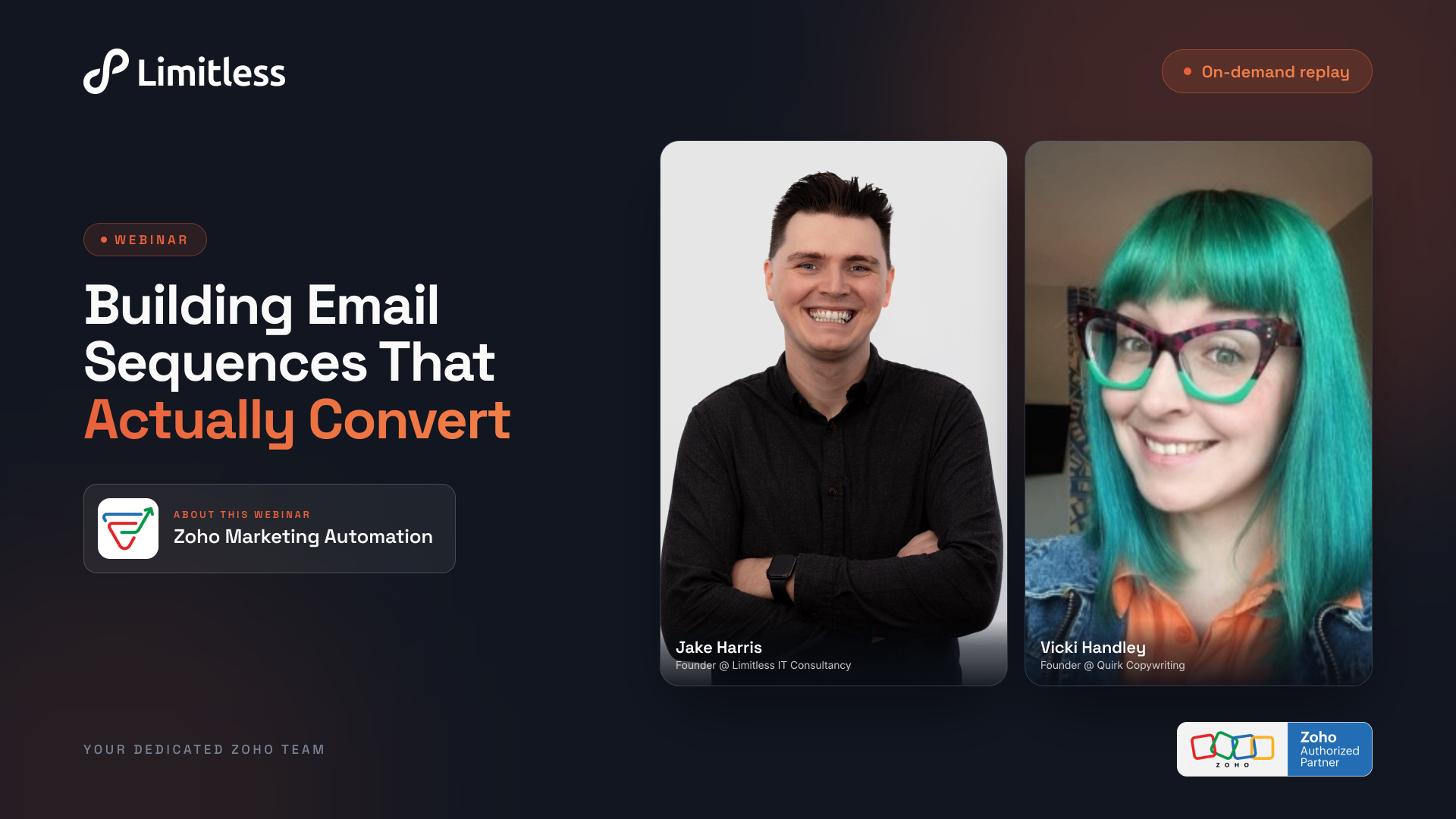
Most businesses have Zoho Marketing Automation in their stack but aren't getting near the value out of it. Either the journeys never get built, or they do — and the emails fall flat. This webinar fixes both in one sitting. Jake Harris (Founder, Limitless IT Consultancy) will build a multi-step journey live in Zoho — triggers, branching, wait steps, the lot. No skipped steps. Vicki Handley (Founder, Quirk Copywriting) then shows you what to put inside those emails: how to structure a nurture sequence, write for different stages of buyer awareness, and earn the click instead of the unsubscribe. The how and the what. You'll leave able to build your own sequence this week.
Unlock this recording
Enter your email to watch.
What You'll Learn
Most businesses already have Zoho Marketing Automation in their stack, but their email marketing rarely goes beyond an occasional broadcast to the whole list. In this two-part session, Jake Harris (Founder, Limitless IT Consultancy) and Vicki Handley (Founder, Quirk Copywriting) cover both halves of the problem: what to put in your emails, and how to build the automation that delivers them.
Vicki opens with the strategy and copywriting side. She explains why "always-on" evergreen sequences beat one-off campaigns — instead of pushing your own priorities on your timeline, evergreen flows meet buyers where they are and gently nudge them to the next logical step. She walks through mapping the full customer journey before writing a single email, choosing the offer to promote, and defining the end goal (most commonly a booked call for high-ticket services, or a purchase for direct sales).
From there she digs into the foundations that make sequences convert: getting crystal clear on your ideal client's challenges and what "stuck" looks like for them, articulating the real transformation you sell (using the "five whys" test to get past features and benefits), and pinning down the information, questions and objections a buyer needs addressed before they'll act.
Vicki then breaks down the anatomy of a high-converting evergreen flow — lead-magnet and sign-up triggers, a typical three-to-five (sometimes seven) email arc, the unique job of each email, and how nurture campaigns keep people warm afterwards. Throughout, attendees are pointed to a detailed companion workbook with exercises to apply each step to their own business.
Jake then takes over in Zoho Marketing Automation to build one of these journeys live — showing how triggers, wait steps and the journey builder turn the strategy into a working automation, and clarifying how Marketing Automation fits alongside Campaigns within Zoho One. The session closes with an extended Q&A covering opens and clicks, segmentation, and how to keep flows genuinely evergreen.
Full transcript
00:00Jake: Hey guys, welcome to our email sequences that actually convert webinar. Today is going to be a two-parter webinar. We're going to be talking a little bit about Zoho and how to use Zoho marketing automation, although I'll be honest, it's going to take a bit of a backseat today, and we do have a longer webinar separately for that if you want to see it. But more importantly, we have Vicky joining us, who is an expert at writing email sequences to take us through how to actually write content and design email sequences that convert so not just the technical side the actual marketing expertise Vicki do you want to give yourself a bit of an introduction yeah so I run
00:36Vicki: a micro agency called quirk copywriting as Jake says we are an evergreen email sequencing agency by evergreen I mean always on and so there's sequences that we build for clients are always on always running in the background they're usually automations and yeah over the course of the last couple of years I've become a bit of a specialist in these sequences and taking people from interest to intent to action which is ultimately where the purchase decisions happen or the calls get booked so yeah really excited to share some of the flows and sequences and campaigns that we regularly recommend that clients begin with and get implemented as soon as possible and show you how to do it so
01:16Jake: yeah very exciting amazing and for those new on our webinar because there'll be some people here from Vicky's Network. I'm Jake, I run a company called Limitless IT Consultancy. We specialize in Zoho and their suite of products. So that includes things like the CRM and marketing automation, which we're going to touch on today. And we help businesses get the most out of Zoho. So whether that's brand new businesses to Zoho and setting them up and doing initial configuration, or if you've been using Zoho for a long time, and you want to make sure you're getting the most from that system we're the experts to help you do that but as I say today I'm going to take a little bit of a back seat and really lean into listening to Vicky's marketing expertise thank you
02:00Vicki: quick quick note if you have questions keep hold of them there's there's time there'll be time at the end for you to ask ask away whether that's questions for me or questions for Jake perfect
02:10Jake: and if yeah if you post questions throughout as well I'll we'll ask each other all the questions as well so we try and get all your answers. So plan for today is first of all we're going to talk about why actually build a journey. I've been banging on to it about it to my clients forever, I know clients come to me talking about it but why do we actually build them and how do we then build them that they convert that's going to be where Vicky is going to shine and show us exactly what to do. Once we've done that I'm going to then take you into Zoho Marketing Automation and we're going to build one of these journeys ourselves so you actually get a feel of how you build it and how you configure it and then as Vicky says at the end we'll have time to go through all of your questions and feedback. So I guess over to over to Vicky and why build a journey? Amazing so just bear with me one moment. We're going to seamlessly change our screen share because this is a new step
03:02Vicki: for us. Let me share my screen, I need the window option, this is me like working it out in real time. Where's my presentation?
03:13Jake: On Zoho, I've had to bring Vicky into using Zoho webinar to do the presentation rather than Zoom. So this is like a whole new step. But I think we're...
03:25Vicki: Can you see why email sequences matter?
03:27Jake: I can. I can see myself twice, which is very weird, but I can see that in a minute.
03:32Vicki: Right. I can stop sweating now. So just give that a second and it'll switch. So the first thing I want to talk to you about is why email sequences matter, because a lot of the clients that come to me, they think about sequences.
03:45Jake: Sorry, Vicky, I'll just jump in. I don't know if you're sharing the wrong screen. I can literally see the Zoho webinar, not the presentation, if that makes sense.
03:53Vicki: Hang on. Uh-oh. Let's go. Hang on. Let's try again.
04:02Jake: The benefit of live, eh?
04:04Vicki: Yeah, it's all fun.
04:06Jake: It's the curse. I have a joke with my clients. We'll build a solution when we're doing a project and work absolutely perfectly. We'll do testing, works absolutely perfectly. We go to screen sharing, suddenly the Internet doesn't work or who knows what. Yes. Can you see that? There we go. Now we can see the presentation. So I'll let you continue now.
04:23Vicki: You're all good. I'll leave it like this. I don't want to mess with anything else. So, yeah, when clients come to me, they are thinking about email sequences in isolation. okay they think that they want something like I don't know they come to me like right I need an abandoned cart sequence I need a cool booking sequence and I need this and actually I'm like before we do anything we need to take a step back so I'm going to just talk you through first of all the kind of things that we think about so on screen you can see a little diagram here hopefully you can see my mouse as well that when you're email marketing what a lot of my clients are doing and I work a lot in the b2b space I work a lot with service-based businesses and education businesses and what people are doing is they're normally sending a monthly, fortnightly or weekly email to their lists. That's ultimately what they do on a regular basis. They don't have the sequences behind the scenes and they don't have the infrastructure to support that sort of the stuff behind the scenes from this. So I just want to say before we kind of get into all those sequences and things, you need to remember that when you approach email marketing in that way, you're pushing your priority each time that you're talking to your clients or prospective clients, Right.
So you're pushing the service or the offer or the thing that you want to be promoting at that moment in time. And as much as it pains me to say it, you can't force your buyers to buy on your timeline. Right. They always have their own priorities, their own buying decisions, their own processes. And the two of you aren't always aligned. And that's what we're trying to avoid with by creating these email sequences to create that alignment. So on the screen now, you can see that same journey is still happening. still you're still pushing your own priorities in quarter one quarter two quarter three and quarter four but what you want is a series these circles infinity signs always are on evergreen um sequences working behind the scenes to a bring people into your list which we'll talk about in a minute but also to take them through a journey that's relevant to them at a specific moment in time now Jake's already mentioned to you um that um you should have a document available to you which is it's a bit of a it's a bit of a whopper um whopper workbook um and basically we're going to talk about a lot of things um today we've only got limited time i can't go as deep as i'd like to for you but i can give you the exercises and the kind of journaling things to help you to take what we're learning today and taking it deeper and like um making it relevant to your business so what you've got you've got this um resource available to you and we'll share it with you in the replay and the after emails as well, means that you can take what we're going to learn about and use it for yourself in your own time. Okay, so the first thing I want to talk about properly with you is mapping your email sequences. Okay, and this is the step that most people skip, right, because they just want to focus on those individual things that they think or that they know that they need. Whereas actually, you need to take a step back from that and you need to think about that holistic journey, that customer journey from a complete stranger through to paying customer to work out the best way of taking them from that point A, which is a place of pain or a place of lack, or they need something, they've got a problem, through to getting them to trust you enough to take that next step, whether that's a purchase or whether that's a call booking or whatever your sales process looks like. Okay, so your first question, the first question to answer really is What is an evergreen email flow? And what we're talking about here is an automated email sequence that's going to be triggered by something specific. The particular flows that we're going to talk to you about today are triggered by a lead magnet download or a sign up via a sign up form on your website. And then the nurture campaigns that we'll be talking about afterwards are usually triggered by timing after those original sequences are finished. But ultimately, the idea is that when the trigger activates, the subscriber is going to receive a series of emails with a specific intention. And it's usually one of two things that you're after to get someone to buy something or to book a call. But that is the purpose of the sequence, not the individual emails. Each email has a unique purpose within that. OK, so the first decision that you guys need to think about and ultimately make is what offer are you going to be promoting? Now, if your business sells one thing like Jake's, I know Jake's business very well, then ultimately that makes life a lot easier. But a lot of people that I work with, they sell different products. They have different services. They might be selling courses. They might be selling a program, mastermind, combination of all of the above or even just like products as well. So you need to work out what the thing is going to be that you are selling. And I would always recommend a tailored journey for each main offer. Okay, so that's the first thing that you're going to think about. And in your workbook, there's more information about that.
09:06Jake: Just on the workbook. Sorry, Vicky, I was just going to jump in. I think people are having issues accessing the workbook. So I've just dropped a link into the chat. So you can download the Word document. So if you want to take a look, you should have access to that now, hopefully.
09:19Vicki: Perfect. If not, we'll get it to you afterwards. Don't you worry. We're not going to be filling it in today. We're just going to be talking about what's in it. So you won't be missing out on anything if you can't access it immediately. But second decision you need to make is what is your end goal for your sequence? You know what the thing is that you're ultimately selling. Now you need to work out what you're actually trying to get them to do. So are you trying to encourage someone to book a sales call or make a purchase? That's the two most common scenarios. If you're asking for a sales call, ultimately you're looking for a time investment, right? Whereas if you're looking for a purchase, it's a money investment or financial investment.
Now, I like to recommend with a lot of my clients are pushing high ticket services or options right so I usually recommend a call or an inquiry as the end stage as the there's the next step because it's a lower risk ask you're more likely to get somebody to say yes there and then off the back of an email or back of a sales page and it gives you the opportunity to do that final convincing and to challenge any objections as they arise now in your workbook which some of you may or may not have but you will get there are some exercises in here that kind of a few fundamental details about your offer, its component parts, and what it includes, as well as the transformation that you're ultimately selling. Okay, so things here. So there's questions in each of the exercises, and there's prompts. And basically, we just want you start thinking about that end goal and exercises to help you pull that stuff out. So for example, let's just quickly just run a little bit through with you, Jake. So...
10:54Jake: This is the free consultancy I was hoping for.
10:57Vicki: Yes, absolutely. So in terms of let's talk about your your high ticket option rather than your process review site visits. OK, so with your particular subscription, there are going to be certain component parts and we'll come back to these later. But there are going to be certain pieces that are especially valuable to your clients. So for me, I would imagine that you would want to be talking about your process review as that is step one, where you go on site and you really get to understand and know those clients in in their environment so you can see the the kind of gaps in their processes and everything else absolutely um what else would there be in yours yours would also probably include your subscription model as well because that's your differentiator you probably include your fact that you are a zoho partner now um but you maintain your integrity that's also one um and then your um massive well limitless support but also the customer service element those would all be things that I would be like pointing out in here as tick like tick boxes for ideal clients to be thinking about at that stage now speaking of ideal clients you do need to know and be crystal clear on who you're actually selling to okay and I'm talking a lot of detail again this is this is a step back from the actual sequences themselves and this is good practice for any marketing activity that you're doing but you do need to understand who these people are deeply and I'm going to need some interaction from you here Jake as well so when it comes on the spot when it comes to your ideal clients you're going to need to be thinking about the challenges opportunities and what stuck looks like for your individual ideal client and the way that I like to tackle that is by looking at what they're thinking feeling and doing or not doing right now what they're looking for in a solution and how your offer or service achieves that goal so I just want to do a quick run through with you really just putting you on the spot when you're on a sales call with somebody or you're having an initial conversation with them what are some of the main challenges that you hear
12:55Jake: where are they feeling stuck good question I think a lot of the clients that come to us most clients already have Soho we do work with some clients that don't have a system and will set up Soho from scratch but most already have Soho or it tends to be is they've effectively got Zoho, but it's kind of just there almost just as a database that's not providing any real value back to the customer. It doesn't feel like they've got a sophisticated CRM system. It feels like they've got a glorified Excel spreadsheet, I guess. So a lot of clients come to us in that position and they're in the position of they want to scale their business. It's normally a sales leader or a marketing leader, actually very rarely an IT leader. Funny enough, we don't often hear from people in IT departments is more sales and marketing. Yeah. Um, they're looking to scale. They're looking to grow the business, but the software is now getting in the way. It's becoming a bottleneck, which is meaning they're either having to employ more people to do admin work, which isn't cost effective, or they're having to slow down their growth because they're best salespeople or best marketing people are busy spending a load of time doing admin when actually the system could be doing that automatically. I think the other thing that comes up a lot is they don't have visibility of data.
So it might be they know they've got a great sales team. They don't know how many calls they're making each week, how many deals are being closed each week, what the revenue is, what the margins are. So they lack that visibility via reporting.
14:18Vicki: Perfect. And that's the kind of level of detail that I'm looking for, really, because ultimately what your sequences are going to do over the course of five, like probably three to five maybe seven emails over the course of the the sequence is to take those pain points those challenges those things that they are experiencing in there every day on one hand the goals and the objectives for the business that they have on the other and connecting them together how your solution or how your subscription or coaching program or product is going to take them from that place where they're frustrated where they're challenged where they're not using something as they should be, for example, to that place of desire, which is a system they can see, a system that's sophisticated, a system that's using all of its data and facilitating their sales teams to make more sales or whatever the outcome looks to be. So just that's that's the kind of level of detail. I'm not talking about the kind of typical, typical client persona, which is like, I don't know, Beth, a social media manager who lives in Yorkshire with a dog and two children and a husband. You know, those kinds of demographics are useful in some cases, but what we're looking for is the messaging that's actually going to make them do something that's going to make a difference for their business.
We're going to talk a little bit more about that in a minute, but I just wanted to show you another example. And if you don't really know what it is that people are buying from you, because transformation is something that where a lot of businesses get stuck, they start talking about their service or their product and the benefits and the features, but they don't actually understand the transformation or can't articulate that transformation very well. Let's just look at an example. And this is my favourite test. I just call it the why test. Five whys. Just keep asking why until you get to that deeper reason underneath. So, for example, if you're buying a specialist business coach, right, a business coach is, I don't know, promoting themselves online. OK, the people that actually buy from them are not buying a specialist business coach. They are buying whatever is motivating them to get a specialist business coach. Right. So, for example, they want to grow their business, but they don't know what they're doing.
they've never reached this point or above before so they're looking for somebody to help them do it they're in a state of fear overwhelmed feeling lost um like they're just they just want whatever this is this feeling to stop they want a bit of certainty and clarity in their direction they're looking for support reassurance challenge to get them there safely and ultimately it usually comes down to the fact that they want more time or less time spent doing things they don't enjoy they want more money or spending less money on the things that aren't serving them properly or they want to achieve some kind of core goal whether that's a business goal or a personal goal those are the main reasons why people buy something if you can bring it back to time money or achieving a core goal you're usually on to a winner happy to answer any questions on that when we get to it later but those are the main motivators for human behavior because we are quite self-absorbed as a species so in your session workbook there is some support available for you to help you work out that stuff when you whip out your ideal clients there's things about creating meaningful buyer personas so similar to what Jake was running through there's specific prompts to help you work through that stuff and then also working out what that transformation is that you are selling another way of looking at your transformation is thinking about what there's a there's a I think it's in coaching but I can't remember the name of the person that came up with forgive me but it's called the job to be done theory and so if you can identify what job your service is doing and what problem it's solving that's a really good way of looking at that transformation um so yeah so next up we're going to look at your goals and your asks so the goal
17:57Jake: of your sequence oh sorry i was going to say can i jump in with a couple of questions before we
18:01Vicki: move on absolutely sorry is that what that ping was i'm not on the screen so host i couldn't see
18:05Jake: it but yes please do that's all that is absolutely fine you're you're in the zone so we have a A question from somebody in the chat saying, Vicky says three to five, maybe seven, I think referring to the number of emails. What happens after them to make them evergreen?
18:23Vicki: Basically, they are always on. So the same people won't receive those emails all the time, but they are always they're always available. So when I get to it later, we're going to show you a lead magnet sequence. So ultimately, the lead magnet is always available. So people are always able to then go into those flows. The evergreen, that's the evergreen nature of it. You can continue, obviously, you can continue to nurture those people via the list emails we've talked about before, segmenting and things like that. But the evergreen nature refers to the fact that they're always running and they're always on. Something you can add over a period of time is follow ups, check ins, those kinds of things as well. But the evergreen nature is that in relation to the fact that that particular flow is always running. Does that help? Hopefully.
19:08Jake: I think that clarifies it for me and I think probably we'll see if we get anything else in the chat and there's another question here around the difference between marketing automation automation in campaigns versus a part of Zoho one so I'll cover that when we get to the Zoho bit
19:23Vicki: at the end yes any Zoho related questions Jake is your guy absolutely okay cool sorry carry on no no you're all good so next up we're going to go to your goal and your ask now the goal of your sequence is going to determine the information that somebody is going to need in order to make a decision whatever that decision might be and it's worth mentioning that in all of these flows and all your marketing activity we're nudging someone along that journey into the next logical next step it's not about a shove a lot of people come in and they create these automations and it all starts off and immediately with sales sales sales and you haven't earned that kind of right yet so what what we're talking about here is always nudging gently to that next step if the next step is a call as most of the sequences that I write for clients are just because of the nature of high ticket purchases you don't need to necessarily share quite as much detail as you would if somebody is buying directly because you're about you're about to have a conversation with that person you're about to have some kind of diagnostic conversation you can explore their questions their objections all those things in that call whereas if it's a purchase I tend to be more detailed because they're going to need to they're going to need to know everything in order to reach a decision and that could be via a sales page or for some for some clients it's straight to call them straight to checkout so it just depends on the setup but either way they're going to need more information to reach a decision because there's minimal interaction between you until they're in like you're not having a conversation in that in that situation so it's the the email structure is slightly different so the next question is going to be then what information is your client going to need to make any kind of decision no matter what the end goal what do they need to help them make that decision so they'll need to start thinking about things like your student you will need to start thinking about things like the questions that they have or the questions that you hear all the time on sales calls or in dms or emails before the sales calls the must-have details about your your offering and the likely objections or blockers that people experience before mid or during working together so it's always really good to have a really clear idea of these things so that you can build that trust, preempt those questions and make them feel seen and understood while getting really clear that you understand their wants, needs and expectations. That really helps build trust, maintain credibility and create authority. So if you're putting it another way, what asks are you making of them? If you're encouraging that call, you're asking for their time and headspace on you and your offer. And if you're encouraging them to invest with a click to buy or whatever the setup is, you're for time, headspace and money to you and your offer. So you kind of have to work harder for a clip to buy, not in all cases, but in most. So again, in your workbook, there's some support and advice on what asks you're making, like the different options that you could make and then the kinds of information that your ideal client is likely to need about your offer in order to take any kind of next step. So now, unless there are any more questions, I haven't had any more pings. Are we all good at the moment?
22:26Jake: You're all good. You're all good for now.
22:27Vicki: Okay, I want to talk about your first flows. So these are the first flows that I recommend that every business has. Each does a specific job and together, they're going to form a journey that consistently activates and converts. I use these journeys regularly with my clients. Obviously they're tailored to individual businesses and they're going to look different per client, but the core fundamentals are there for all of them. But before we get into those, we need to talk about triggering the sequences, recipients of the sequence and exclusion and exit steps. I'm going to keep this super top level, Jake, because I imagine you'll have some stuff on this when we get to get into marketing automation later. But the two flows we're going to be talking about today is the welcome slash orientation and fact finding mission. And the second is the what makes you special, which is starts as a nurture flow and then ends with why people should buy from you. So it's taking them from nurture into sales in flow two, whereas flow one is more about creating engagement and getting to know each other a little bit. So yeah, so you start with flow one and then you move into flow two. So triggers. There are loads of different ways to start a sequence. I'm not going to go into them all, but some of the most common that I see are things like hand raisers.
So for example, if you're regularly emailing your list, you may be asking them questions. If you're not, I would recommend that you are. And how they vote on a poll, for example, where you ask them what their biggest challenge in their business is. Is it leads, sales, or I don't know, team, something else? Each generates a tag and then the tag sends a relevant evergreen sequence that's also equivalent of a pain signal there could be intense signals as well they might visit a page a good example of this would be an abandoned cart or a call abandoned sequence so they visit the sales page they start their purchase they don't complete it and then they go off into some kind of sequence to encourage them to take like to complete that purchase form fill for behavior so like an intentional subscriber that has signed up to to receive emails from you, that would count as a behavior. I don't know if this is possible in Zoho, I didn't check with you actually, but in some software you can set a deadline. So if somebody has been on a list for three months, for example, taken no action, you can then automatically start them into a sequence. That's a question for you more than me.
24:42Jake: Yeah, Zoho can definitely do that. Perfect, that's good. Don't use out Zoho.
24:48Vicki: I knew you'd know the answer. If you didn't know the answer, I was like, I know a software that you can add on it work if not but then there's things like dates as well you can set start dates you can like if somebody attended an event for example I imagine that Jake will have some kind of follow-up sequence off the back of this webinar so that when you get the event tag then you go through and then there's the good old-fashioned manual selection as well so those are those are the most common triggers that we tend to see so I just want you to start thinking about those and then we'll talk you through the triggers that we'll be using in the sequences that we've kind of prepared today then you're going to this is just top level advice really the temptation for everyone in all businesses I think that I've come across is we're going to list we're going to email the whole list every single time and actually that's that's really bad advice you'll be much better off I get the temptation I've done it myself just let's just send it to everyone just in case there's someone there that is ready and wants to buy my thing whatever that thing may be when actually we see better results by applying tags when you think through that tagging exercise and if you are a client of Jake's I'm sure he will help you work out the best tags for your business and how you can then use the tags to create automations off the back of that but yeah you're much better sending to a smaller group that's highly engaged or interested in a particular thing than blanket sending to thousands and thousands of subscribers which I've seen businesses that should know better do very many times despite knowing better really or they should know better so yeah if you're looking at segments based on behavior so like in the someone's downloaded a lead magnet for example and then an interest if you're asking questions as part of a fact-finding mission so if you're using polls or the hand raises that I mentioned and people you can find out what people's interests are and then send them off and down relevant branches don't want to spend too long on that because I could do a whole session on just that probably on any of these if it was a web form I'm going to jump in to ask my
26:44Jake: own question now if it was a web form would you favor having a minimal web form and in fact finding through the email campaign or would you try and qualify as much as possible the person from the initial web form so that you have a smaller mailing list what would generally juicy perform better
26:59Vicki: it's tricky because you want someone to sign up because you want it to be low friction but equally you don't want every tom dick and harry that's totally irrelevant to your business so the way i sometimes deal with this is have some sort of qualification questions on the web form that are easy to answer and won't put your ideal client off like for example it's if it's i've been on lists before and they're asking loads and loads and loads of questions from the outset and i'm like whoa i'm not going to play um so so i would have some kind of qualification criteria but something that i've seen done really well um recently actually was you can do what i call a secondary landing landing page at a later stage one of the ways that we do this sometimes we either do hand raisers where we're asking people for specific information or after for example a welcome sequence you could quite easily send them to a secondary form or a secondary landing page which says right you've got to know me now I'd love to know a bit more about you here are some additional questions it's really going to help me tailor my content to you and that at that stage you ask the more um the more probing questions yeah giving them like a revenue range for the year or something like that you know if you're if you're trying to find out business size or head count or whatever it depends on the nature of what you're doing that works really really well that said another sneaky trick which I don't really like doing but people do and it does work if you are trying to qualify people and get like deeper information people don't like seeing a list of long questions so if you can do I can't think of the name of the it might be type form or something along those lines you can make it so they can't see the next question until they've submitted it and then And they're more likely to stay longer to complete those kinds of forms than if there's a huge long list of forms in front of them. And we thought that was quite interesting and some testing that we did. But personally, I don't like it because I don't like being on the receiving end and not knowing how long a form is going to take. I much prefer doing the secondary landing page way of doing things. But, yeah, some different options there for people to test. And it's always about testing with your particular audience. So that's the depends on marketing answer.
29:02Jake: I like that. And I guess if you're thinking as a traditional, you know, if we use the sales and marketing lingo, I guess then you've got your MQL is your people in the initial email sequence, your marketing qualified lead. And then filling in that secondary form then is kind of what then makes them SQL, the sales qualified lead and actually makes that handoff really clean, which I quite like.
29:22Vicki: Yeah, it does. And then, of course, you can quite easily hand off the contact, like a phone call or whatever to the sales department really easily, nice and clean. And you can see that clear, that moment, that trade-off. But equally, if you wanted to get even more granular at that point, once you've identified that so-and-so is particularly interested in, I don't know, let's just say marketing, that marketing is their key problem right now, you could then branch off and create another flow, or you could give them something really helpful that all your clients love, that you've like a resource that you've prepared specifically about marketing in that situation. Like, so you can get super granular or keep it really simple and just hand it off to your sales team to then go and have to think about what the next step should be but yeah it's a good way of it's a good way of getting that additional information at a point
30:08Jake: when they trust you a bit more than right at the outset so yeah that makes total sense thank you
30:14Vicki: no worries and then the last thing that I want to talk about before we get into actually writing your email sequences is our exit steps right so how you're going to end your sequence and without ongoing support you want to keep it as simple as possible you don't want to make your sequence is so complicated that you're constantly forever updating them or you can't just leave them to do their thing. But the typical exits or ending points in the sequences that we create are somebody has taken the next step. If you're using Zoho, it's nice and simple because you will be able to see who has booked a call, for example, because it will be in your CRM. And then you can just exit, you can end the sequence once they've taken that step. And then something else that I like to do with the sales sequences, so that the more heavy duty sequences down the line is giving So if you're done hearing about this particular program or this particular offer, you can opt out and then they won't receive any more in the sequence. I like giving people that control. And also it means that if you're giving them that control in a sales environment, they don't necessarily unsubscribe from your entire list. They just unsubscribe from those particular sales activities. So, yeah, so that's a nice one.
And then also you can set sequences like this so people only go through them once if you wish, or you can set them so that they can go through multiple times. For example, if you wanted somebody to only be able to go through a list and through a sequence like this once a year, for example, you could set it so that they could then go through it next year when you're next promoting this particular thing, unless they've opted out, obviously. So, yeah, so that's the mapping stage. We want you to think about that journey. Start thinking about the steps, the information that you've got and that you need to divulge to people in order to move them to that next stage. The next step is going to be writing your email sequences. And I've actually done a bit of that work for you in terms of the mapping and some of the sequences that I create on a regular basis. We're going to show you the maps when we get to the Zoho Marketing Automation. So I'm just going to talk you through what the kinds of things are that need to go into these sequences and then I'll connect dots later.
but the first thing that we're going to look at today is going to be a welcome sequence then we're going to look at a nurture sequence that moves into sales and then I've also got for you an extra sales sequence that we probably won't have time to run through today but in the workbook there are templates within that as well as prompting exercises so that you can see an alternative sales flow so let's have a look what we've got first okay so welcome flows people get these wrong a lot because there are actually two kinds of subscribers that come into your world a lot of people think right someone signed up to the list i'm going to send them through this journey i'm going to have two emails three amos however many emails that's going to talk about me and then they're going to want to buy something after that whereas actually there are two different kinds of subscribers there are the ones on this slide who are called intentional i call them intentional subscribers because they've signed up for you specifically so they've come across you somewhere maybe you've spoken before maybe they've seen your content and they love it maybe you've been at a webinar or speaking or something they've gone on your website and they have intentionally subscribed onto your list because they want to hear from you and then the other side on the flip side of that is our consequential subscribers who sign up for you as a consequence of wanting something so they want your lead magnet or your training or your freebie or whatever that looks like. So intentional subscribers are warmer, so they don't need as much hard work to kind of convince them of your credibility. Yes, they do still need some, but not as much as those people who are basically strangers that just have a problem that you happen to be solving. So with these particular ones, the trigger is obviously joining the list. And the breakdown that I tend to do, I do these all the time with clients, is sort of the first email is always, you're new around here, welcome to my world thank you for subscribing I know how busy inboxes are I appreciate you all that lovely stuff you're going to want to introduce yourself your business and what you're about but this is not war and peace this is not a CV this is not heavy duty detail about every decision you've ever made this is this is keeping it light keeping it warm showing you're excited that they're on the list you're going to go into the detail later on but the key thing for all these is you have to remember that this email is not about you this email is about them and what you can do for them so you're going to be um you're going to be keeping it in that frame whenever you're writing an email to your clients from now to your prospects from now on and your clients as well you want in your first one of your first emails in this welcome flow you want to try and get a reply that's the goal of this email because what you're trying to do is you're trying to show their email software provider whatever they're using that you are someone that they want to hear from and if they if they engage with you, if they respond to you in some way, that teaches, starts to teach the algorithm that actually you need to be in the primary inbox, not in other or that dreaded promotions folder that no one wants to end up in. So yeah, that first email is all about welcoming them to your world, getting them excited about, you know, you and like you, your business, like the things you talk about, all those lovely things. Okay. Email two, this one says websites are a serious business. So this was one that I created for a web design client. And in it, what we did was we talked about her USPs or what makes her special. So she has an award-winning process for designing websites. She mentors web developers and other website adjacent professionals. So we're talking about all that because that gives her, while she works with those people, she's also custom building, really expensive, really fancy websites for people. So we wanted to use that expertise to showcase her as being an authority in the industry so yeah you want to be talking about those USPs so again for Jake we talked about them a little while back it would be your subscription model it would be your past experiences in employed like service design and support and it wasn't what you wanted it to be then you could see that you could do it better so you know you kind of you got here from doing that and then again it would be your your limitless service and yeah all those lovely things that make you special and the differentiation piece and again in your workbook there's loads of stuff in there to help you work that's free again these these welcome emails want to keep them brief okay we don't want live stories lengthy tones we want to we want to be increasing that intrigue and creating interest okay and then the final email in this flow you could do this as a two email flow or three email flow I've seen both but I like to keep them relatively short which is why sometimes it's a longer flow because I don't like an email that you have to keep scrolling scrolling and scrolling to read because I won't do it my attention span isn't long enough so this one I call the expectation setter so this one is all about what to expect from your emails going forwards what you're going to talk about how often and again always what's in it for them why should they stick around and something that works really really well consistently in this email is also something along the lines of I want to be as helpful and useful as possible as I can to you right this moment these are my favorite resources or these are the resources that my clients tell me time and time again are super helpful I want to make them available for you and just so that you're again building that trust building that credibility and sort of encouraging them to engage more deeply with you in some way again you could invite replies with this one I tend to have a PS at the end which is a soft call to action inviting them to book a call if they want to discuss anything from the whatever the resources are that you've shared because we want to capture any we want to give people the opportunity if there is any low hanging fruit we want to see it like give them the opportunity but we're not aiming to sell here that's just a lovely bonus if you do manage to get someone who happens to be ready to book a call at the end. So that's your intentional subscribers. Are we good for questions Jake or am I good to carry on? I think you're good to carry on but I'll throw in a question
38:08Jake: from me maybe because we spoke about it in preparation last week and it kind of surprised me in a way because it's just not what I expected. You write all of these emails effectively as plain text not fancy html glossy looking emails um yeah why is that i guess um yeah so yeah um a lot of
38:29Vicki: our email well no all of our emails um are they are plain text but they normally have some kind of header with an image on it or a footer or both everything else is plain text we don't bother with heavily designed emails because we find consistently they just they just don't perform as well i don't know whether that's because of how they're displayed in inboxes where there's lots of images. I know I find it really annoying. I use Outlook. I'm probably one of the only people, but I use Outlook and it gets really truncates all the images always look rubbish. I never get to see things properly. And a lot of people as well put, and this tends to be more product businesses, but they put a lot of the calls to action and the imagery and then people don't see it and they don't take action.
So yeah, we've consistently found that the emails that perform best are header and then then the body of your email which is text but with like bold italics all those kinds of things it's not completely plain text and then your footer kind of sign off at the end so yeah it's something that we've found consistently across the board with all sorts of different industries and things so yeah we don't we don't bother too heavily with design and the only exception to that I would say is if you are a designer obviously you'll want some element of design in there because that is your your bread and butter and that is your product but but yeah we found it to be consistently that those more plain looks like a real email real conversation with somebody perform consistently better so yeah interesting fact yeah no it was super interesting when you
39:58Jake: told me about it now we can do that in marketing automation i'll show everyone how to do that in a little while um i've got two more quick questions because we've had one come in and it's reminded me of one more absolutely so for the rest of the oh i'm sorry vicky Oh, no, okay. I'll carry on. So for the sequence, you've only got a call to action in the third email. Is that, I guess that's purposeful. What you don't want to do is kind of bombard people from day one saying, Hey, book a call with me, book a call with me, book a call with me.
40:26Vicki: So, so email one, I'll usually ask them a question to invite a reply. So it's like, I don't know. I can't even think of a question now, but basically hit reply. If you agree with this, if this resonates or whatever. Email two, I don't tend to have any deliberate call to action in there and again it could be a question as you're going through, kind of inviting a reply again, but yeah the book a call in email three we have sort of as a PS, it's almost as an afterthought really, but yeah these are at this point the person's going to be quite passive, they're going to be just absorbing information so we don't tend to put those harshest CTAs in there. As you get further down in so you in your nurture it's quite soft as well but then when you get to your kind of heavy duty sales messaging then of course you're going to have those book a call things in there so yeah but for that one for these ones we don't tend to I'll go on to the um let's say any more questions I'll go on to the other welcome flow and because that one does have a slightly harder
41:27Jake: call to action okay let's go on to the next one and I'll store this I've got another two questions here that I'll store for the end of this one because you may well answer them cool so I talked
41:36Vicki: quickly about consequential subscribers so they're signing up to receive something whether that's a lead magnet they're attending a webinar maybe they're getting a free audit I don't know it depends on the business but with these people you need to be quick to value right because they don't know you very well they want the thing and they want the benefit of the thing very quickly so the first email is always going to be introducing the thing that they signed up for it's the delivery mechanism you want to explain whatever that lead magnet is how it works and what they need to do next so you want to keep it brief you want to keep it short and sweet no company histories anything like that at this stage they need to be quick to value email two is I use this as a reminder ultimately it can be a bit of an explainer and a reminder attention is attention spans are short people are busy so again what I'm doing here is you really wanted this thing here's this thing make sure you use this thing okay and this is why you should use the thing right so and if you've got social proof here this is perfect so if you've got and so one of my best ever lead magnets that I've used was I think it was 365 content prompts for LinkedIn or something along those lines and and what I did was I actually launched people that I knew that were potential clients and got them to use it for me and test it for me tested inverted commas basically I just wanted people to tell me how amazing it was in text form so I could just keep snippets of those things and put like put them through the emails and then everyone's like oh my god this thing looks amazing so again you're and this thing is amazing it's going to make a huge difference so what you're doing here is you're reminding them that this thing is really valuable this is a really valuable resource that i've made for you and you're giving it to them you're reminding them you're making it really easy so you're sharing the links again so that if they got distracted they don't have to then go back and try and find what they're looking for and create intrigue around whatever it is that you're sharing with them so the the lead magnet that we did most recently with a client was actually an email course so I think it was five it was four or five days I can't remember but basically they drip fed videos and exercises over the course of five days they had one it was the website client I mentioned so she had one email all about finding your ideal client she had one on branding she had one on copywriting she had one on selling via your website and I think the other one was SEO right so we were just drip feeding each module each day if you're doing something different like a training or any other kind of like a one-off resource etc you could do a similar like another explainer and another reminder but for this particular person it was quite a it was a course so we just went through and we added all these different elements in and to keep their interest and there was a challenge group and stuff as well so it was quite a quite an event in the end and then the last email in the in the sequence is your next steps so if you've got this basically it's if you've got this far you've completed the course or you've completed the resource one i really want to hear from you because i want to know how it helped you or what you found most useful or what your key takeaway was those kinds of things again inviting a reply um and but we also say at this point this is the best like introduce a sales calls option if it's if you've only got high ticket or if you have a first step offer then you could introduce that there so for somebody like you jake you could you would be ultimately throughout all these sequences you're pushing your retainers right but your first step would be your performance review which is a paid for kind of first step offer so here you're introducing that at that point because by the time somebody's gone through a five-day challenge or a five-day course with you they're going to be much more bought in than they were at the beginning so again you want to give them that option to do whatever that next thing is so here we would have in that email eight we would definitely have some some calls to action in there and then for these we didn't in this case and because the client didn't want to to do it this way and but for these individual modules of this course if you like we did have specific calls to action in each of them so for the ideal client one it was something along the lines if this is a problem for you in your business and you want some advice and book a call with me like those kinds of things in the ps section again so it's like an afterthought it's not the most important thing but it is available if you want it so that can be some options there as well that's it for this section did you want have i answered the questions or do you want me to run through them now i've got
45:50Jake: a couple that i can i can give over to you so the first question is from joe we've actually got two from joe i'm actually asking the same question i asked interestingly when we did our prep for this uh the frequency of the emails you've got them every day uh what joe said is it seems more than potentially expect it to be is this the same for b2b and b2c and what i guess how have you come to
46:12Vicki: the one day one email a day and how does that work so when we're first running flows like this we will do one day we will put them a day apart but what we do at the same time is we also remove them from any other communications so they're not also getting your um they're not also getting your newsletter and then also getting other like product updates or you know or service updates and things as well so what we what I would say it's it's one of those really annoying questions it depends but on the frequency and the duration which is every marketing question but what I would say when setting the frequency I would look at your usual email cadence right if your email list is not used to hearing from you sort of more than once or twice a month a daily email is going to feel a lot whereas if they're hearing from you weekly it's less of a burden if you like however However, I will say with things like these lead magnet sequences, when people first join your list, that's a really warm place to have them. You don't want to lose that momentum because you don't send them an email for seven days after they've had that initial delivery one, for example. You want to, with a lead magnet sequence or a welcome sequence, you do want to maintain that momentum.
but again it's always a balancing act between being overbearing and too keen if you like and not keen enough so I'm not really helping here but I am what I'm saying is basically it depends on the cadence they're used to hearing from you about you do want to build momentum often people don't people don't want to be overly salesy in their emails so they don't email enough even when they could get away with emailing more and this is always something that's worth testing when we start when we start a flow we always start with one day that's our that's our kind of baseline of where we're at and then also with these with the sort of nurture flows and sales flows that come later you can give people the opportunity to opt out and yeah I hope that answers that question did I say anything else to you when we spoke because I can't think of anything
48:18Jake: No, that sounds good. And I think it makes sense because I guess if I do, for example, if we do a free audit and you get that email today, if I'm doing these every week, you're not going to get my main call to action for eight weeks. By that point, you've probably forgotten about the thing you initially asked about, whereas doing it daily, I guess, keeps that momentum.
48:37Vicki: especially those consequential subscribers that are only in it for the thing that you sent them you've got a short window of attention span to do anything with those people because I don't know about you that the amount of lead magnets I've downloaded and then never looked at again or the amount of things I thought oh yeah this is really important in the moment and then life happens and you go off and do something else yeah so so yeah I think I think a lot of people could email a lot more and I work pretty much exclusively with b2b clients so in the other part of that question I just remembered that I didn't answer and so yeah the vast majority of my clients are b2b and we still do it once a day or sometimes we do what every two days sometimes we do every three days it's going to depend on on the purpose of the sequence and then also as well to bring into the mix if you're doing a sales cycle or a push or a launch or something along those lines obviously that's going to be high frequency intensity of flows and these aren't all the time that is once that this happens that they then go through it unless you set it otherwise that they go through it again but um yeah so it's not it's not a forever thing um and sometimes actually in the what to expect emails that i send or in the first emails i might say something along the lines you're going to get a couple of you're going to get a few emails from me in the next few days but then we'll go down to this particular rhythm so if you set the expectation a lot of the time
49:53Jake: people are fine with it so yeah makes sense uh cool so next hopefully this is probably a quick one uh who would be who would be the sender would you have it sent from a business so would it be sent from limitless it consultancy or should it be sent from an individual within the business
50:08Vicki: I always try to send it from an individual wherever possible um because it's in your inbox it's more if you get an if I get an email from a business I'm like sales if I get an email from a person it feels more genuine and like a lot of the emails that we do from people for people are from I don't it could be the CEO, it could be the founder, it could be head of a particular, like I'm working with an AI company at the moment and all the emails come from there, head of AI program development for example, because that's the thing, it's the person that's best connected to the contents of said email. A couple of ones that we work with, there are different people within the organisation that will send different flows depending on the specialism. So yeah, I that said i've not tested that thoroughly with the clients i have now with these particular flows but yeah the preference is usually um because people feel more connected to a human than an entity so
51:07Jake: yeah that's what i find when we do our emails if i sent them from limitless the open rate is always far worse than if i send them from myself because i think people know who i am generally if they're on an email list so if they see an email from me they're more likely to click on it than a generic
51:20Vicki: email and again this is an untested thing but i would imagine as well that algorithms on email inboxes would flag business emails more easily as promotions or others or whatever rather than as an individual so again that's not that's not like fact but common sense would dictate to me that that would be part of the process for filtering and things as well no makes sense i've got two
51:46Jake: other questions for you here um the this next one may be a bigger one so we might want to come back to it is how do you actually assess whether the email journeys are working especially if there's a longer buying cycle and conversions might not happen right away yeah that is a long one that is
52:02Vicki: a longer one um i can i can i can handle that now that's absolutely fine so it's going to be the data it's going to be reviewing the data regularly um one of the things a couple of things that we used to begin with less they're less less accurate than they used to be but we do use open rates as one indicator of whether people are you know looking at the emails or just glossing over them click to open rates as well so of all the emails that were sent and and clicked on I'm sorry all the email addresses that were opened the numbers that are actually clicking so you can see where people are going we use um various different tools um to be able to look at where people are going again it's going to depend it's going to depend on your setup with like things like google um analytics we use if you're working within zoho and you're sending things like i don't know brochures or proposals or various other things you've got to look at the whole journey you've got to look at the journey all together um and one of the things that we tend to pull off are like things we use data to show us like people that are opening multiple times people that are interacting with multiple emails obviously minus auto clickers which are always a pain in the bum to weed out but there are various ways that you can do that or at least minimize that risk but yeah you need to give yourself sufficient traffic coming into the sequence in order to see what's working and what's not so we recommend a minimum of 100 people have gone through a from beginning to end before you even start looking at data because you need to have enough kind of bodies running through it to be able to see where the trends and patterns are starting to work and where they're starting to come from. You can start to see where particular emails are resonating more highly or a click rate like to a call booking is much higher in relation to this particular email than that particular email. So it is a bit of a, it's something that you do you to sit down and look at obviously calls booked or transactions as a lovely way of seeing that revenue but particularly for these welcome flows and the nurture flows you're not necessarily going to see that return on investment immediately because they're not ready to buy yet so it's looking at the levels of engagement it's looking at the kind of repeat views and repeat visits and yeah just using that information in order to get a clear idea one thing I'd like to say about somebody somebody else who I really respect Beth O'Malley she's a HubSpot expert and she said she referred to email sorry she referred to email as an impact channel recently as an impact channel so it's not always about revenue it's about the the other signs that you get so people telling you that they've received your emails or they love your message that they've seen in this particular in the email or on LinkedIn or whatever like how are things working together and that's one way that I like to look at email these days is that although it is a revenue generating channel absolutely these emails are harder to see that the ROI than those kind of harder hardcore sales emails that are easy to attribute and the other things that you can do is in terms of if you like for example in the not in this flow but in the other one there was the example where you can send people to various blog posts or resources or whatever that people find most useful you can use things like utm links and things like that which again i'm sure something that jake could talk you through if need be um to so that you can more easily attribute visits to particular behavior or to particular emails so yeah there's all sorts of different things that you can do um but yeah it's not as easy as saying yes this email works and it generates this amount of pounds it can be but particularly for these higher up the funnel emails it's more difficult to quantify if that makes sense so yeah absolutely
55:51Jake: i'm sorry we've got two more but hopefully these are quick ones all good um i'm nearly done that's all right this is the most questions we've ever had so i take that as a good thing in terms of frequency um does that change for cold email which i know is probably slightly outside of what we've got here but how would you approach it for cold email and is that something that you
56:12Vicki: you would just treat completely separately i don't do any cold email the stuff that i do is purely for people who have subscribed to a list so i don't know that i'm the right person to answer that question however if i was on the receipt if i was to do cold email because again this isn't advice this is just if i was to do it i wouldn't be bombarding people with lots of emails over a long like like one day frequency or anything like that because i'm just going to get spam complaints and I'm going to get, that's going to affect my deliverability and everything else. So I would not be doing lots of like high frequency emailing if I was doing cold. But again, that's not my area of expertise.
56:53Jake: No, that's fair. And to be fair, I think Zoho itself does, obviously you can email anybody in Zoho, but it's not necessarily designed to be a fully fledged cold emailing tool in the same way there are some other platforms out there that do stuff like automatically managing your domain, how switching in and rotating domains and things like that. Zoho is not doing that because really, again, Zoho for the most part is designed around emailing people that have opted into your list.
57:23Vicki: Yeah, because you run the risk as well with, I'm sure you know this already, but if you're marketing emails to people who haven't signed up for it, you could end up in hot water with GDPR and all that lovely stuff. So, yeah, again, I wouldn't give advice on cold. If you do want advice on cold, I know somebody called Johnny Umaru, which is U-M-O-R-U. He is a cold email specialist. So if anyone wants an intro to him, just connect with me on LinkedIn and I can introduce you. He would be far better qualified to answer those questions than me.
57:56Jake: That's all good. And a final question and then we'll get back to the presentation. back to the sender email would you only include the name of the person or would you also include the name of the company so i guess sometimes when i do emails i think i do like jake harris at limitless it consultancy so would you do that or would you just have it be just jake harris so
58:16Vicki: it looks like it's a normal email and both um i i personally prefer just my name but i totally get where you put at quirk or that's my business or at limitless which is yours again something to test just to see what people want like and look at your open rates look at your click rates look at the overall performance and see if there is much difference um but yeah i tend to i tend to focus on the the name only but again it's definitely worth testing with your audience perfect cool you'll be pleased we've got no more questions for a minute okay so we've done welcomes i want to look at nurture now at nurture into sales this is a longer flow uh this one's six six-ish emails and I'll tell you why in a minute. This is the what makes you special flow. And again, this is something that people skip. They do the welcome, the one journey for all, and then they jump into buy my stuff. And actually, you've got to earn the right to ask people for their hard earned cash and their time and investment and all the rest of it. And actually, these kinds of flows I find convert more highly than just going into a more generic sales sequence. And this flow here is the main flow that I recommend for all my clients. It consistently performs really, really well. So I thought it would be really helpful just for me to run through it with you guys.
And then in the workbook, you've got prompts of the kinds of things to include when you're thinking about it from your own perspective and space to brain dump. So again, these are one day. If it's a nurture flow and if it's a longer email, if it's any longer than five days, you might want to think about increasing the... time frame between emails so like two days like every two days or every four days or however like just test it just to see um what works best for you um but yeah you don't want to be bombarding people's emails or their inboxes for long periods of time I was once put into an email sequence that was 40 days long it was 40 40 nudges on this particular subject of ways that you can move forward in your business and as useful as I'm sure it would have been I was not going to read 40 emails
01:00:22Jake: so don't do that okay you start to get resentful after a while don't you that they're filling up
01:00:26Vicki: your inbox i'm sure this is really helpful but i just can't right now um so and then something else that i should probably say you could with the with the welcome flow there will be a gap between the welcome flow and and this flow i wouldn't recommend going straight in from one to the next just even if it's just a few days just to break it up just so that they're not because if you've got the for example if you've got the lead magnet flow which is five or six days and then you've got this which is seven days that could be too much for people so um so but unless you give them the option to opt out but I'd still have some sort of gap maybe a week in between the two just to kind of give them a bit of a break and get start getting into the cadence of your usual um emails in between so this is the what makes you special flow we begin with um email one which is stating the problem that your client experiences and the mistake that people make when fixing it in inverted commas so for example with Jake it could be um it could be somebody's I don't know made up their own spreadsheet because they don't want to use the system that's in place in the organization um and the mistakes that people make when fixing it could be actually leaving this staff member to their own devices for example just throwing some ideas out there just to give you some ideas um and the whole point of this is to make that reader feel seen heard and understood okay so you want them to recognize themselves in this in these these mistakes or know someone who's done this in when they're looking at this and that comes back to the stuff we were talking about right at the start about really getting to know that ideal client because you want to be talking to them as relevantly and as personally as possible and the idea behind this email is to show that you get it and allude to the fact that you have a better way so I deal with this all the time but there's a better way of doing this and I'm about to share that with you. So email two is more about introducing your solution at a top level, not a sales pitch in any stretch of the imagination. So here I like what I like to do, I work with a lot of experts, they tend to have their own framework or their own methodology or something along their own differentiators that set them apart from their competitors and I like to tell the story of how they find how they got to their method so again for jake it could be working um in a it company feeling very unfulfilled i'm just attributing things to you here this is not any facts or like speaking your life story or anything but feeling really unfulfilled by the level of poor service and and him having to toe the company line for example um realizing that projects don't work or and that actually having a subscription might be a better option going it alone and testing it out and seeing some initial success so here it would be getting people to buy into the story so for example I did one of these recently with a client who was she was a vocal coach a vocal specialist and she actually learned how to create a better voice because she lost her voice during menopause and like her voice deteriorated and she actually realized that the problems it was causing her wasn't her voice at all it was all in her mind so there was a whole framework that came from that So it's giving people access to that story because people do buy into stories and it creates credibility and it shows that you are on the same path as them, but few steps ahead. And you can split this across multiple emails if it's a complex story or a complex network, like a complex thing that you're ultimately trying to sell. Then I like to go into a breakdown of each core element. So for Anne, the vocal coach that I mentioned, there are three elements to her framework. There's vocal skills, there's mindset, and then there's self-activation and finding your own message so I would have an email for each of those individual components what the element is the reasoning behind it and the proof that it works or the proof that it makes a difference via a story and it's here that I tend to introduce the calls to action so it would be if for example if your mindset is holding you back in relation to your voice and you want to be in a I know you want to command the room you want to be on stages you want to do this that and the other we clearly need to talk about program or service or whatever and you can book a call here to find out more and in other circumstances I put a sales page link but I tend to skip that these days and go straight to the the call because a lot of the time they've got the information that they want or enough information that they want to then go through to a call in these email four or email fourish depending on how many of these you have is your solution in depth so it's how you solve their problem from the beginning using your framework and method you can do a bit here of alternative solutions why it's a better solution than such and such whatever that might be and but you need to prove it you need to be able to showcase the results you need to showcase the impact whether that's in terms of financials whether that's in terms of case studies or whatever you need something there that kind of substantiates that you are the best at what you do and again all of these from here on have got calls to action which are much harder so it's book a call or visit the sales page although as I said I prefer the book a call option then in email five again you can split this one out if you need to we're talking about the powerful elements within your setup so some of the framework stuff that you talked about but how you structure for results and return on investment is becoming more and more important in email sequencing and general marketing these days everyone's been burnt by somebody so So you do need to kind of put your money where your mouth is, wherever you can. Things like common questions and objections. And we've covered those in the mapping section. When you're thinking about the key things they're going to need to make a decision, you want to try and preempt those objections ahead of time. And then you've got your stories and your case studies of before, during and after, which again, you can use to show that ROI. And then email six plus. I put six plus, but that's just because of the however long it ends up being with your framework elements. This one is your hard sell, right? this gives the details but then it's talking about what's the cost of staying stuck like if you don't do anything right now what can you expect to see in three months six months 12 months is whatever problem you're experiencing now that spreadsheet for example is that a symptom of a much bigger systemic problem so you're kind of really you're calling out to the pain points here and you're really kind of pushing the fact that if they stay if they don't do anything they're in a worse position than booking a call with you or taking that first step offer or whatever and it's here you can give them you really trying to give them a reason to do this now and sometimes people introduce things like urgency or scarcity in here as well so urgency could be I don't know if you're doing a sales cycle for example you'll you need to always you need to get your sales booked the sales call books by this date because after that we won't be taking any more like for example like your diary is closing or whatever could be we've got a limited number of spots that will be scarcity etc so it's here where you're trying to just push like nudge them over the edge into that area of yeah just pushing them over the edge basically and getting them to take action right now rather than in six months time and then what I haven't got on here is I always have at least one follow-up sort of it's normally seven days sometimes 14 days after the fact saying oh it's been a while since I mentioned whatever your program service etc is how are you getting on like what are you are we going to do this like I wanted to give you you another opportunity that kind of thing and again just trying to reignite that conversation and get a reply or a booking ultimately and that is that those are the two sequences I'm not going to run through the other sales flow right now we haven't got time because I've taken up all this time sorry sorry Jake but I have got another sequence here for you in your workbook with templates which talks about introducing your offer the problems you solve mistakes and misconceptions you'll see they're quite similar um why the offer exists impact and social proof and why now and are we doing this and they're slightly different frames slightly different ways of of of going through the information but with all this stuff what we're trying to do you have to repeat yourself in your marketing a lot of businesses freak out they don't want to repeat themselves they feel like they're talking about the same things all the time but actually you need to keep repeating you need to keep talking about the same things in different ways so that you're in people's peripheral vision until the moment they need you or somebody they know needs you and they're like ah I know who you need to talk about they solve this specific problem in this specific way and they do this that and the other so so maybe it doesn't quite happen like that that would be lovely wouldn't it um but yeah in your workbook with all of the flows here you've got um you've got prompts you've got exercises to help you work through it but with this particular flow because I didn't think we'd get to it today you've also got some templates which you can fill in to kind of see the flow in action um but with the and you obviously fill in the gaps and give it a go that way so yeah that's that's it from me um I've just waffled on for ages um but yeah there's all sorts of stuff in the workbook to help you with each step of the process but yeah I think that's it from my point of view so I'm
01:09:26Jake: going to stop sharing that's great honestly this that was really helpful to go through I feel like I've learned a load of stuff and hopefully everybody in the webinar has found it useful as well. Obviously any more questions please do add them in we'll make sure to answer those as well and what we'll do in just a moment is go through how we build this in the CRM as well. After today as well the follow-up email will include Vicky's workbook if you haven't already got it, a copy of the slides and we'll have a recording of the session as well so don't feel like you've had the rush carrying along we'll make sure that you've got all the information you need after this as well so let me move that page over there and start my screen share i thank you for
01:10:11Vicki: whoever's put the clap emoji i love the emojis they're great they're a good way to know that
01:10:16Jake: people can actually see what you're doing as well because that's half the time when it's just me on a webinar i have no idea whether i'm just talking to myself or whether people can see so that's always good. It's like how long have I been on? Exactly, exactly. Okay, hopefully everyone can see my screen. I can see. Yeah. Excellent. Okay, so we're not going to be doing a full deep dive into Zaha marketing automation today. We've actually done two webinars previously on this one on setting up marketing automation and a second one on how to use marketing automation. If you want to find those, if you go to Limitless IT Consultancy, you can go into resources and webinars and you can see all of the past webinars and get access to them there. So if you were looking for something that's a little bit more detailed in terms of using marketing automation, this is the place to go. Today though, what we're going to do is build one of the journeys that Vicky has just outlined. So how it connects to the CRM, how we build the journey and then how the content actually goes into that journey. So I've already done a bit of prep work for this and I'm going to show you my Zoho CRM.
So in my Zoho CRM I have a load of leads in here and if I open one of these up you will see inside of my lead I've got a load of different information including lead type and that lead type field is where I've got the consequential or intentional information coming from. So that will come through via the form fill by whichever source the person filled out into my CRM and that's all coming through nicely. When that comes through I've then got all of my contacts syncing into marketing automation so if I go into view contacts you'll see I've got a whole load of them in here 2,000 odd in here and if I do a little filter on here and if I do it based on lead type there you go CRM dash lead type and that say is consequential hit apply oh I don't have any that one let me do the other one i know i set up one as an example for you guys must have been intentional apply oh okay as any good demo we haven't got anything in here let me show her i thought i had a segment we'll ignore that so what we would do this is all right i can do it in the demo is we want to go into setup and then into integrations and apps and this is where we can edit our sync with Zoho CRM. So we'd want to go into Zoho CRM, go into our lead sync because that's where we've got that field right now. We'll just go into that and into field mapping. This is where we can see what fields are mapped.
So I can see that when there is mapped, it might well be that I just don't have any leads in there with that information right now. If I was to go in there and start filling out the field, they will then sync through into the CRM. So that then gets them into Zoho. What I then need to do is actually build my journey. So I'm going to go into my journey builder here. I'm going to go into view journeys. Now I've already built a finished one here and we can talk through that in just a moment. I'll take you through how I've built it. You can see the kind of nice flow here and you should hopefully see how this aligns. Oh,
01:13:25Vicki: sorry, go on Vicky. I'm saying I really like how it looks in this. The visual builder is really
01:13:29Jake: nice. Yeah, I really like it. It makes it nice and clear. And when you activate it, what's great is you can actually see the path different people went down as well so it makes it really visual um but you can see here when someone's added to the crm leads list it's then going to split those leads into intentional consequential or none i've got to have a none option in there even though nobody will ever go go down there and then the intentional i have my three emails that vicky outline so i've got your new around here website's a serious business and then in fact this one was just two. So I've got your new around here website, that's a serious business with my delay in the middle. When the journey's finished, I apply a tag to the contact. So I know that that contact has finished that particular journey. And then I remove them from the journey. I've got the same thing here for consequential. It's just a little bit longer because it's got more steps in here, but exactly the same idea. Now to build this yourself, we're going to go back to the journey builder.
We're start with Vicky and we'll hit next and you can see Zoho actually has a load of templates in here and some of them are pretty close to what we're going to build to be fair but we'll start from scratch just so you can see how to do it so we're going to start from scratch and now on the right hand side you have your sort of pane of where you can choose all your different actions and triggers and you can see there's a whole load of triggers here now a lot of this actually relates exactly to what Vicky was talking about in her part of the presentation. So things like if someone visits a certain page, we can make a trigger. If somebody fills out a certain form, if a certain date is reached, if a goal is achieved, abandoned cart, whatever it might be, there's a lot of built-in triggers in there. We're going to keep it simple for demonstration purposes and we're just going to say when someone's added to the list and we're going to say when they're added to the leads list here now i can also go in there and choose whether i want to allow existing and new contacts of that list into the journey whether it's just for contacts going forward or whether it's just for existing contacts in this case i'll probably want it to be just contacts going forward because otherwise my two and a half thousand leads are suddenly going to get an email where they might have signed up
01:15:41Vicki: for something two years ago so i'm going to say only people moving forward well that is true that is
01:15:47Jake: very true. Now once I've got that in there I then need to split up that list so I'm going to come out of triggers and I'm going to go into actions and this is where I've got all the different things and actions I can do. I've also got processes in here as well and this is where I can sort of control the flow. So in our case we're going to do a multi-way split and we're going to drag that in and we're very simply going to line these two up and draw a line between them. We're then going to go into edit our multi-way split and this is where we can choose our different branches so I'm going to say we're going to split based on the field lead type and I know we've got lead type is consequential so let's do that it's a difficult word to spell without really looking at your keyboard and then we're also going to inconsequential as well oh there we go is inconsequential uh or intentional sorry not inconsequential um and then we don't need a third branch we're going to hit remove on that now i could have if depending on what the journey was i could have multiple branches here so maybe vicky was talking about earlier on in the presentation if you do different services you would ideally have a journey for each service yes so what you could do here in marketing automation is your first split might be for your three different services and then you might have a split for whether it's consequential or intentional for each of those services you may end up with multiple levels of these splits if we scroll down this is where i've got to have the else branch basically means if that field isn't either of these what happens so in that case it's just going to go to none because the field's empty so that's the first part of my webinar my uh my sequence here so what i'm then going to do is go in and add my actions so first thing i'm going to do is send an email so we'll do consequential so we're going to go in link the email up and we're then going to go in to create the campaign by clicking on it there we've got to give it a campaign name so i'm just going to call it email one for simplicity and we've got to choose a topic oh i've already done that email one another campaign let's do a demo with vicky email one and i've got to select my topic so i'm going to choose the newsletter topic now you're new to marketing automation one of the concepts of marketing automation is topics so when a contact is added and subscribed they're subscribed to a range of topics then when they unsubscribe they're able to instead of unsubscribing from all unsubscribe from set topics so this is related back to what vicky was talking about with the sales emails being able to opt out of those individual sales emails that's what you would use topics for now i will be honest from what i found doing this with some clients the use of topics i think i spend too much time stressing about them because what I found is in the real world most people still hit unsubscribe all unfortunately but it's still good to have the split because you're giving people those options. I'm going to hit next I'm going to choose my types in this case I'm just going to go for a simple email and I'm going to hit next again we'll save and proceed and now we're going to build our email now we're only doing this once we're not going to build every email in the sequence today just for time reasons but I can give it a subject line so this will be the subject of the email so I'm going to call it email one subject for example just for speed reasons I can also add the prehead so the prehead is when you receive an email in Outlook for example you get a little snippet preview of the email that's what goes that's what the prehead is now more and more these are being generated by AI automatically anyway but I still put them in there for just so I've got it in there. So I'll pop that in there. I can then choose who I'm sending it from. So to follow Vicky's best practices, I'm going to send it from me. And I've got my test email in there. And I've also got my reply to email in there. So a bit of a trick here is if you want to send it from, say, your managing director's email, your CEO's email, whoever it might be, you can send from one email and have the reply to be a different email. The end user will see that. It's worth knowing. They'll there's a separate reply to and the other thing is out of offices for whatever reason out of offices just ignore reply to so if you use your ceo's email and you get 100 reply auto replies your ceo is going to get 100 also replies so just something to be mindful of there you can track replies now i actually recommend you don't turn that feature on the reason i recommend not turning that feature on is if you turn it on in marketing automation what happens is if someone replies to the email the reply comes into marketing automation rather as them through as a normal email reply which then makes it really difficult to continue the conversation so i recommend them keeping that setting off so the replies come back to you as a very normal email hit save and we'll then go down and add our content now when you add content you can choose from any of your own templates Zoho has a template gallery or you can use the layout builder. Now this is a little trick here. If you use the blank template, although you can go into the blank template and just write text, when you send it, it will still look like a marketing email. It will still be centered in the middle of the screen. It will still be sort of have borders on the side. It will look like a marketing email. So what I actually recommend to follow Vicky's best practices is go to build your and use the HTML editor. Now this sounds scary but it's not so don't worry. We're going to use the HTML editor and what this does is it gives us a basic text theme editor. So here I can go in and write my email so I've got hi and I can still do my merge. I'm going to merge in the person's first name so hi whoever the first name is. This is your email about gardening services. Best wishes Jake. So I put out the email I can make it as long as I need obviously again following Vicky's best practices and her workbook. Now the only catch here is if I hit save and proceed what you're going to notice is Zoho's now added this really ugly footer which kind of gives away that this is not a marketing email. So what we want to do is go back into edit, edit template and we just want to make sure we've put our unsubscribe link in there and that's important because without the unsubscribe Zoho will automatically add it because effectively it is a marketing email you have to have an unsubscribe in it so if you don't put it in yourself Zoho will add it for you and I don't do it the most elegant way. Now the other thing to bear in mind is this unsubscribe link is actually a url so what you might actually want to do is add in some text that says if you'd like to unsubscribe click here and then what you can do is actually click the link here so if I show you so I make my name the unsubscribe link and then in here I can go in and say actually I'm going to make my name the unsubscribe link otherwise you just end up with an awkward long url at the end of your email so i'd recommend doing that hit save and now you'll see because we've got that url we've no longer got that ugly footer so now it's going to look like a more or less normal email now obviously there's a couple of things you have to include in emails for compliance things for different industries you may have to include your address content numbers and things like that but again, you can add that in as kind of a normal looking email signature rather than a sort of marketing email footer, if that makes sense. You can also within this template go in, add images, you can do bold, you can do different colors and things like that. So you can still add a bit of style to it. When me and Vicky were doing prep for this is one of the things she called out, she'll actually use bold as quite a good way to call out different sections. So if there's a real call to action in there, she may bold it to make it really clear that that is a call to action.
01:23:32Vicki: Yeah, I tend to put like some kind of header image, nothing huge, which is like so they know who it's from, preferably with your face on it somewhere in the email as well. And a footer of some kind. But yeah, people remember faces better than names. So if you can get a picture of you in your footer or in your header or the key person in your business, then even better.
01:23:56Jake: Perfect. So when we're ready to go, we're going to hit send for review. So Zoho has an anti-spam policy that if you write any emails, it will go through a spam check on their end before you're able to send it. I've almost never seen an email fail. The only time I've ever seen an email fail, it was actually during a webinar where we made like the dodgiest looking email ever and Zoho rejected it. Otherwise, they always accept it. Initially, if you're new to marketing automation, it may take 10, 15 minutes because there's actually a real person will look at the email. Once you've used marketing automation for a couple of weeks, actually that review time becomes like 30 seconds because it becomes an automated process so it just depends on the trustworthiness of your Zoho account as you're using it so I'll hit save and exit now the next thing we'll do is add in our time delay so I'm going to go into process and I'm going to add in oh I'm not going to process sorry it's in the actions and I'm going to add in my time delay again I'm just going to draw my line and hit edit it and I'm going to say I want it to run after one day now you do have the action option in here to have it only run on certain days so if it's a b2b email for example you don't want it running on a saturday and sunday you can untick those days then it won't send on a saturday or sunday so it'll send friday then the next one will be monday even
01:25:09Vicki: with the one day delay if that makes sense um and you can as well as you can if you send say you send your weekly email on a wednesday you could take it out there as well if you wanted to oh yeah
01:25:21Jake: Yeah, that's a great idea.
01:25:22Vicki: Some of our clients, just in case it comes up as a question, some of our clients absolutely not on a weekend. Others see really good read rates on a weekend because people are just checking their emails occasionally if they're living their life. So yeah, it's an interesting one. Some of our best performing launch emails, for example, I've been at the weekend. So yeah, it just goes to show it just depends on your audience. It's worth testing for sure.
01:25:45Jake: Interesting. Yeah, that's super interesting. I've always just assumed don't do it, but that's interesting feedback. actually sometimes it can really work the other thing you could do is also interesting the other thing you can do is also choose different time zones you can say okay i only want the email to send between nine and five for example um again it's up to you you can possibly test with it to see what different different things work um some people prefer immediately particularly if it's triggered on a form fill because otherwise someone may fill in the form nine o'clock at night when they're trying to do a little bit of late night work and then they won't get your email till the sending time so that's something to consider with this as well so once we've done that we can then do our next email now I'm just going to clone email one for simplicity here I can drag that down here and join that up now you will notice one of the weird things in marketing automation is now that I have got a couple of emails I'm starting to go off the page and what that means is now when I'm going to add another block it's a bit jumpy trying to add the extra block so what I recommend is instead of having to deal with the jumping us, just take a random block and just scroll down with it for a bit and just pop it down at the bottom.
Because then you can build the rest of your journey without the page jumping around. And then when you're done, go and delete that block just makes it a bit easier to use the interface is a weird little feature. But it's not a feature is a weird little workaround that just makes it a bit easier to work. So what I'd recommend once we've done our two email sequence I'd recommend we assign a tag so that we know which contacts have completed which sequences. The benefit of that is I can then segment and filter those contacts in the future very easily to do follow-up campaigns or future journeys as well based on what they have and haven't completed. So I'm going to say they've completed the consequential sequence hit save and then the final thing I want to do is I'll want to remove them from the journey. The reason this remove from journey step is important is if you don't have it, your journey will get infinitely big. So from a reporting point of view, it'll just look like the number of people in the journey just continuously gets bigger and bigger and bigger. Because effectively, if you don't have it, loads of people will get to this step and then sit at this step forever. Whereas if we remove them from the journey, we can then always see a realistic number of how many people are actively in this sequence right now.
So it just makes it much easier to be able to report on and understand what's happening within the journey. Obviously, we would then do the same thing for the intentional with listing out our different emails. And same thing at the end, we'd add our tag and then remove from journey. And then for the none, I would just simply remove from journey. And then once you're all done, you will end up with a journey that looks like this, where you have your multi-way split at the top, all of your emails with your time delays, all ending in a tag and a remove from journey. Hopefully that makes sense. I know that's a super quick introduction to using this. But as I say, if you want a more detailed view on building journeys from a technical point of view, I'd recommend watching back on some of our previous webinars where we cover that in far more detail. But I suppose it's a good time to ask, does anybody have any questions on building the journeys or any further questions for Vicky in terms of how best to market and write those journeys?
01:29:07Vicki: There's nothing in the Q&A yet. I've been keeping an eye as we've gone through. But we'll see if it asks in a second. And there was a question at the beginning, which I don't know if you've covered already, but it was what was the difference between automation and campaigns module and Zoho automations as part of the Zoho one pack? Did you answer that question?
01:29:26Jake: Good question. No, I haven't. So Zoho likes to confuse everybody a little bit. And the way Zoho works is quite often they have individual products specialized in one feature, and then they'll have bundled products that kind of take a load of those individual things and put them in one. And sometimes that gets confusing. So one of the examples of that is marketing emails. So you can send marketing emails and you can do basic sequences directly within CRM, but they're very limited, very limited reporting. There's then a product called Zoho Campaigns. Soho campaigns does emails. So you can do your stand below newsletters and you can do journeys in there. And actually the journey functionality is pretty similar to what's in marketing automation. What it doesn't offer is the same kind of integration with your wider sort of marketing suite, I guess, in Soho campaigns versus marketing automation. And what I mean by that is marketing automation integrates with things like your website, with WhatsApp, with you can do integrations with like third parties to do like the abandoned cart. And what that means is you can have far more sophisticated journey. So, for example, what I could do is build a journey that's based on somebody reaching a goal on the website. So that might be that we've got a book a call page on the website.
so i could have a journey that's triggered on somebody reaching that page but maybe they don't actually go through with booking the call and i can do what i've done here based on that trigger that kind of level of automation i can't do in campaign so campaigns is a more simplistic tool than what you've got in zaho marketing automation my advice oh that was weird my advice would be I probably deafened everyone then as well. It's like the way you call it. That's happened before. My advice would be if you're paying for Zoho One, I would go for Zoho Marketing Automation because it's the more fully featured application and it's not going to cost you anything extra to use it. Even if you ignore a load of the features right now, as your business grows, you will grow into it. Whereas if you go with campaigns and then two years time or next year, you decide you want more functionality, we've then got to do a lot of work to migrate you to marketing automation. So if you start there, I think that's probably better. The other thing that makes marketing automation work so well is a load of the other features you've got in here. So including stuff like integrating with Google Analytics so it can automatically UTM tag any of your links. So then Google Analytics knows where your link clicks came from. You've got marketing planners in here. You've got your website analytics in here.
So all of that wider marketing stuff that campaigns just doesn't do.
01:32:14Vicki: We've had a question, but I think it's for both of us. I don't think it's... So somebody said, "Is it worth sending different emails based on if someone opens an email? I know Zoho Marketing Automation can handle that, but I'm not sure if it would be beneficial." I would say it depends. I have a client who, when they're running sales campaigns and when they're running launches, they tend to run launches twice a year and they will send some follow-up emails, they're not personalized follow-up emails but they're examples of follow-up emails, sent at mass if you like, to people who have opened specific emails within the flow so that they're only contacting people who are the most engaged and they've had some great results doing that whereas other clients have done it and it's made no difference whatsoever.
So again it's something to test but yes you can absolutely set up those different flows for people so for example actually just think of a use case for a lead magnet right we were talking about the reminders so you could have something for the people who have they've already watched said training in the in the lead magnet and actually they get a different follow-up message that's not reminding them that the lead magnet exists because they already know when they've finished they could perhaps go into the flow at a different stage or you could have a like a different follow-up question or something so you could do it for that purpose but again it would be something to test to see whether it actually generated the results that you were looking for and if you've got anything to add
01:33:46Jake: there yeah well i mean what i find from a technical point of view particularly with zoho is one of the issues obviously with opens and clicks is things like antivirus software and things like that automatically clicking and opening things so zaho does have a measure that when an email is sent it will give you the clicks and then what it calls the reliable clicks where it's trying to filter out those kind of click box type products that are clicking on everything um so that's one way to look at your clicks and opens and you could do your journey based on that what we've done personally and we try and do with clients just because we find it more reliable and because everything's integrated we can do this is use whatever the action is outside of the email so for example when you sign up for the webinar that's then tracked as you've signed up for the webinar because you've completed that form so it's that form being completed that then excludes you from the next email rather than you clicking a link on the first email because we've just found that to be more reliable um not saying not use opens and clicks it's just from a technology point of view we found that to work quite nicely when it when we can do it it's not always possible they've
01:34:50Vicki: completed the step and so they've checked out or they've registered rather than clicking to register where they might still fall off so yeah exactly perfect sense exactly yeah we found that to work
01:35:02Jake: quite nicely and zoho does do more of this now they used to be quite limited but they do now give you that reliable opens and clicks which gives you a bit more information that's it in the questions perfect wow i think we might be all done then let me uh bring up our slides which i have totally lost uh just as we just as we wrap up uh almost on time we're almost only six minutes over as well don't worry that was me with my tangents on the questions no honestly it was super helpful so let me share my screen and we'll just quickly run through these slides because we've not done them as we've been going. But yeah, I think that's everything. Thank you very much, everybody, for joining. We'll follow up with an email of the recording and all the documents from Vicky. If you have found Vicky equally as enlightening today as I have, please do reach out to her. Her email is on the screen. I will also include it on the follow-up email. And yeah, I'm sure she'll be more than happy to talk to anybody more specifically around how you can get the most from your emails
01:36:08Vicki: as well i'd love to it's like my specialist subjects
01:36:13Jake: perfect if you've not noticed once you ask her she will not stop telling you either so like you've got that to look forwards to
01:36:21Vicki: clear some space in your diary afterwards absolutely
01:36:26Jake: absolutely now honestly like i i know most of the people on this call now are probably people that are either my clients or kind of come from the Zaho side um i've been working with Vicky for like two over two years now on the linkedin side and more and more our monthly conversations going through marketing have expanded out to talk about more and more things so she's a real asset she really knows what she's talking to so if you're struggling with emails i'd really recommend contacting her even if it's just have an initial conversation because i'm sure she'll be able to
01:36:52Vicki: give you a load of pointers straight out of the gate yeah 100 okay cool and if you want to talk
01:36:58Jake: to me uh you'll get a follow-up email from me right after this um and uh yeah we can book a call to see how we can potentially help you get more from Zoho but that's it for today thank you everyone
01:37:08Vicki: for joining Vicky was there anything else from you no just thank you for the trust thank you for joining us and listening to me waffling on on my favorite subject for quite some time thank you
01:37:19Jake: very much that is brilliant thank you very much guys and we will speak to you soon bye bye