Back to News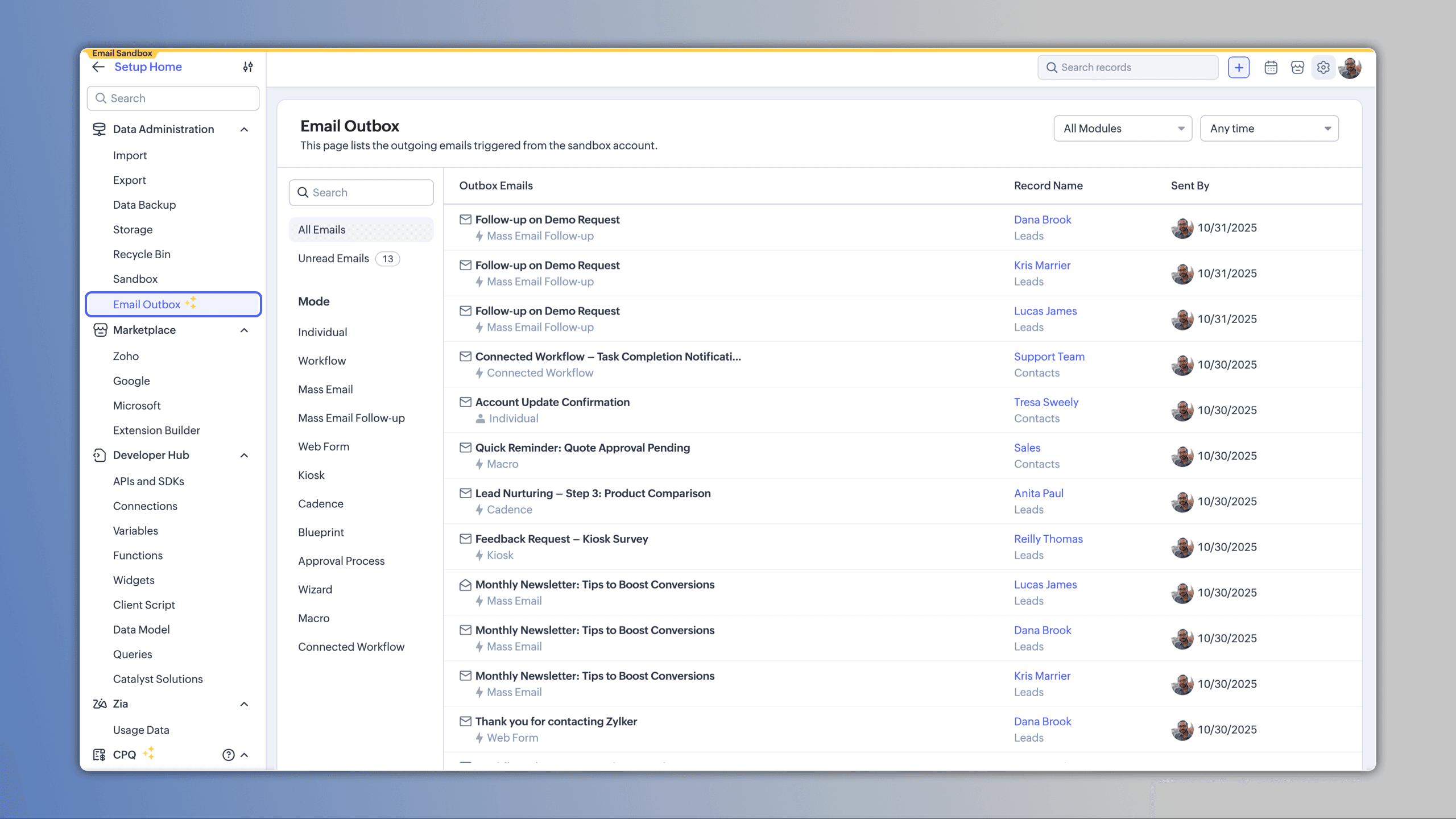
Tuesday, February 17, 2026
Zoho Mail - Email Outbox Now Available in Sandbox
Zoho Mail now provides a sandbox Outbox where you can view and verify every email triggered before anything goes live to your customers. Emails are organized by category and mode, retained for 60 days, and include clickable record links for quick verification and testing.
Get weekly Zoho updates
You can now view and verify every email triggered from your sandbox before anything goes live, with emails organized by category and mode.
- Outbox is available under Data Administration in the sandbox
- Two main categories organize emails: All (every email sent from the sandbox) and Unread emails (messages not yet opened)
- Emails are also categorized by the mode in which they were sent, such as Individual email or email from a workflow, helping you identify the purpose and triggering method
- Each email in the outbox list displays key details including subject, mode of triggering, and the record it originated from
- Record names are shown as clickable links, allowing you to quickly jump to the record for a closer look
- You can only see emails for records you have access to, in line with your role-based permissions
- Filter emails by module or use time-based filters such as Today, This Week, or Custom Range for focused review
- Emails are stored in the Outbox for 60 days
- Sandbox rebuilds will delete all Outbox emails
- Emails associated with deleted records are automatically removed
- Email templates can be deleted without affecting the visibility of emails in the outbox
- Manual deletion of Outbox entries is not supported in Sandbox
- Email analytics are not supported in Sandbox
- Outbox helps you verify emails before sending to customers, identifying issues like missing fields, misfired conditions, or formatting glitches
- Availability: Enterprise and above editions of Zoho CRM, across all data centers
 Zoho Mail